3. To switch the LumiNova to blue light therapy, quickly press the
Switch button to toggle between red light, blue light and red & blue
light combined therapy treatments.
4. To pause your LED light therapy session, quickly press the On/Off
button to enter standby mode. Quickly press the On/Off button again
to restart your light therapy session.
5. Always pause or power off the LumiNova before removing the device
from around your neck to avoid light contact with the eyes..
6. When the LumiNova is in standby mode/paused, the blue power
indicator light will remain illuminated. To power off the device, press
and hold the On/Off button for 2 seconds.
7. If the LumiNova is left in standby mode for more than 70 seconds, the
device will automatically shut off.
8. When in active use, the LumiNova will automatically shut off after 20
minutes.
8 LumiNova Red Light Therapy Neck Device User Manual Lifepro Wellness Recovery Collection 9
OPERATING INSTRUCTIONS
Please read the operating instructions before using the LumiNova Red
Light Therapy Neck Device. Keep this manual for reference.
USING THE LUMINOVA RED LIGHT THERAPY NECK DEVICE
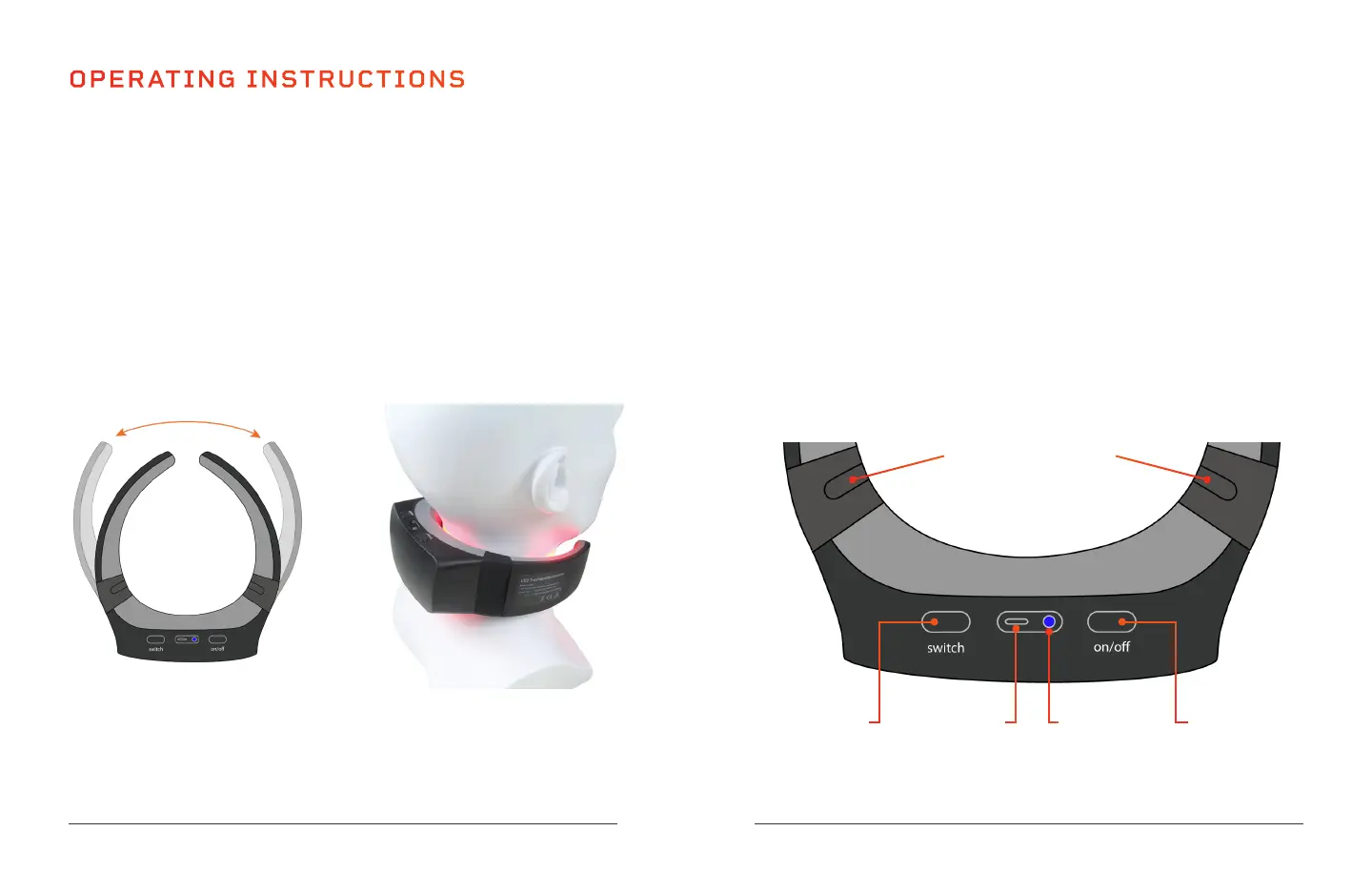
1. With the LumiNova powered on and in standby mode, gently pull the
articulating arms outward just enough to slide the device comfortably
around your neck. Note: Position the device around your neck before
turning on the LED light therapy to avoid light contact with the eyes.
2. With the middle LED panel positioned at the back of your neck, quickly
press the On/Off button to start the LED light therapy (near infrared/
red light therapy is the default).
USB Charging
Port
On/Off & Pause
Button
Power On
Indicator Light
LED Light Mode
Button
Articulating Hinges for
Size Adjustment


 To Next Page