16 Oculax User Manual Lifepro
PRODUCT
SPECIFICATIONS
MADE IN CHINA
UNIT SPECS
Size: 7.6” L x 4.1” W x 2.6” H
Net Weight: 0.7 lbs
Power: 3.7 W
Voltage: 3.7 V
Decibel Rating: <55 dB
Heat Function: 107° F (42° C)
Massage Programs: P1–P4
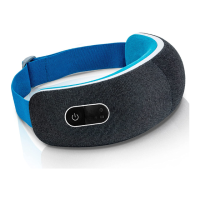
OCULAX
SMART EYE MASSAGER
RECOVERY + FITNESS
CHARGING CABLE
Rated Input:
AC 100-240V ~50/60 Hz
Rated Output: 5 V 1 A
BATTERY
Rated Input:
AC 100-240V ~50/60 Hz
Rated Voltage: 3.7 V
Type: Lithium-ion
Capacity: 1200 mAh
Working Hours: 4 - 4.5 hrs (varies by prgm)
Charging Time: 1.5–2 hrs
TROUBLESHOOTING GUIDE
Quickly troubleshoot simple issues you might experience with your Oculax Smart Eye
Massager using the table below.
Please contact a customer support representative for additional assistance at:
support@lifeprofitness.com or (732) 456-6063. Please do not attempt to repair the Oculax.
ISSUE POSSIBLE REASON HOW TO RESOLVE
MASSAGER IS NOT
WORKING
Massager is not turned
on.
Press the Power button to turn on
the eye massager.
Battery is dead. Recharge the battery.
DEVICE STOPPED
WORKING
SUDDENLY
Massager automatically
shuts off after program
ends.
Turn the massager back on to begin a
new massage program.
When the massager has
been working for a long
time, the motor shuts off
to prevent overheating.
Allow the massager to cool down
before using again.
WEAK HEAT
OR WEAK AIR
PRESSURE
Battery is low. Recharge the battery.
Massager is incorrectly
positioned on face.
Adjust massager until you feel the
correct air pressure.
MASSAGE
INTENSITY IS TOO
STRONG
Eyes or face may be
sensitive.
Place a soft, clean cloth or towel
between your eyes and the massager.
HEAT FUNCTION IS
TOO HOT
Eyes or face may be
sensitive.
Choose Program 4, which does not
use heat. Or, place a soft, clean cloth
or towel between your eyes and the
massager.
NO MUSIC PLAYS
Bluetooth is not paired.
Follow instructions on page 11 to set
up Bluetooth music.
Volume is turned down
or off.
Use your device (cell phone, iPad,
etc.) to adjust the volume.
Non-music program is
chosen.
Program 3 does not play music.
Choose a different program.
Recovery + Fitness Collection 17 Recovery + Fitness Collection 17


 To Next Page