32 PawRunner User Manual Lifepro
Endurance Training Collection 33
CREATING A WORKOUT
CALORIE COUNTDOWN MODE
1. Press the Mode button three times to choose calorie countdown mode.
The red LED next to “Cal.” will be lit.
2. The default calorie goal “50.0” will flash on the screen. Enter the
desired calorie goal, from 00.0–990.0 calories, by pressing the
+/- buttons.
3. Press the Start/Stop button to begin the workout.
4. Use the +/- buttons to adjust the speed at any time during your
workout.
NOTE: The three countdown modes are not available for preset programs.
NOTE: When the Start/Stop button is pressed, the console will show a
3-second countdown (you will hear accompanying tones). The workout
will begin after the countdown completes and the treadmill will begin
automatically. The treadmill will stop automatically when the countdown
mode goal has completed.
CREATING A PRESET-PROGRAM WORKOUT
The PawRunner has twelve preset exercise programs, P1–P12, to help keep
your pet interested in and excited about using the treadmill. Each preset
exercise program is divided into 20 segments, each with a preset speed.
See the
PRESET PROGRAM SPEED CHART on page 34. To begin a preset
program:
1. Press the Mode button, to toggle through the programs (the
countdown modes will appear first, then the preset programs will
appear). Choose one of the preset programs: P1–P12.
2. The default time of “30:00” will flash on the screen. Use the
+/- buttons to adjust the workout time from 5:00–99:00 minute, in one-
minute increments.
3. Press the Start/Stop button to begin the preset program.
4. Press the Start/Stop button again to pause the workout at any time.
NOTE: When the Start/Stop button is pressed, the console will show a
3-second countdown (you will hear accompanying tones). The exercise
timer will begin after the countdown completes and the treadmill will
begin automatically. The treadmill will stop automatically when the preset
program finishes.
NOTE: Speed is automatically set for preset programs and cannot be
adjusted.
CHANGING THE DISPLAY MODE SHOWN ON THE CONSOLE
While working out, you can change the display mode which is the workout
value displayed on the console.
1. During the workout, press the Mode button to toggle, in order, through
the display modes choices: scan, speed, time, distance, and calories.
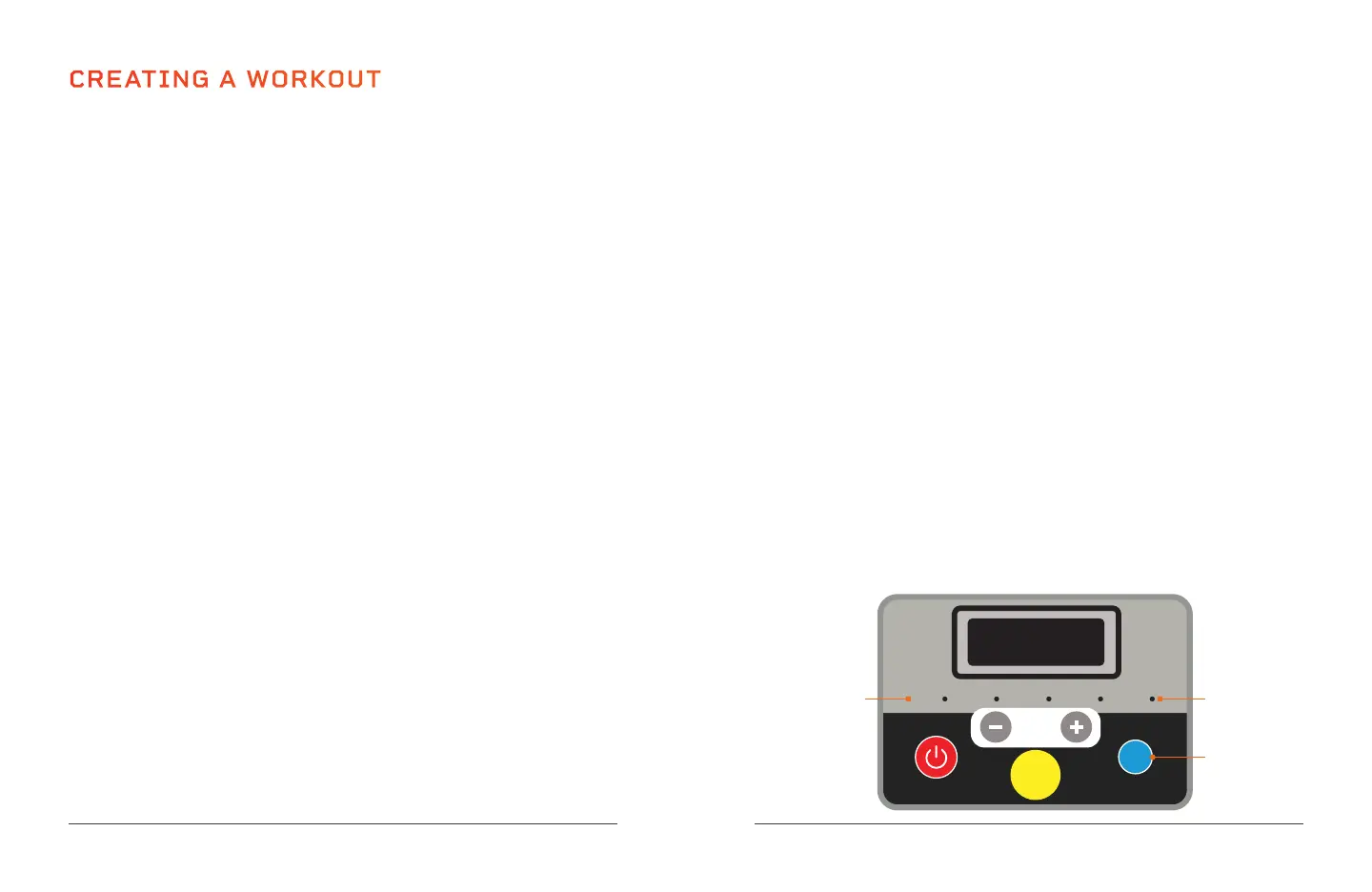
NOTE: A lit red LED to the right of the display mode name indicates the
current selected display mode.
NOTE: Scan mode shows each value, in turn, for five seconds.
NOTE: The display mode cannot be changed while in standby mode (before
a workout has begun).
Scan Speed
Mode
Speed
Time Dist. Cal.
Mode Button
Display Mode
LEDs (5)
Display Mode
Names (5)








 To Next Page