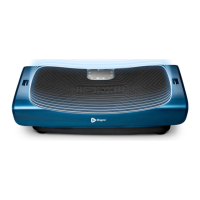
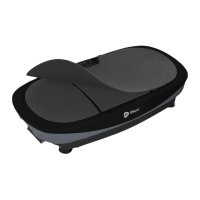
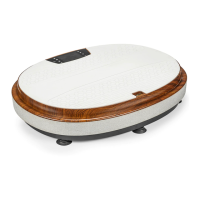
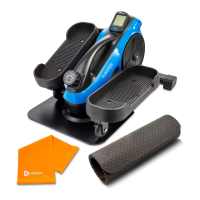
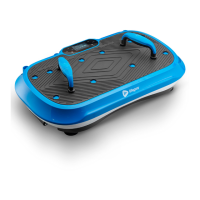
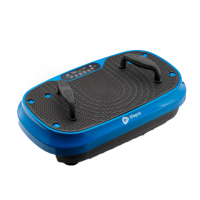
The Lifepro Rumblex Max 4D Vibration Plate is a versatile fitness and recovery device designed to enhance workouts, aid in rehabilitation, and improve overall well-being. It leverages advanced vibration technology to stimulate muscles, boost circulation, and provide a comprehensive range of health benefits. This device is particularly beneficial for individuals seeking to improve their fitness, recover from injuries, or alleviate joint and back pain, offering a gym-like experience in the comfort of one's home.
Function Description
The core function of the Rumblex Max is to deliver multi-directional vibrations that engage muscle fibers more efficiently than traditional exercise. It features three powerful, ultra-quiet motors: a lateral motor, a horizontal/oscillating motor, and a pulsating (micro-oscillation) motor. These motors can operate independently or in combination, creating seven distinct vibration training modes and a unique 4D motion. This 4D motion activates muscles across multiple planes, leading to more effective workouts in less time.
The device is designed to:
- Experience joint- and back-pain relief: By improving core strength and circulation, it helps alleviate discomfort.
- Boost metabolism: The vibrations encourage the body to burn fat faster, aiding in weight management and reducing the appearance of cellulite.
- Decrease stress: Regular use can increase serotonin levels and decrease cortisol, promoting relaxation and mental well-being.
- Improve circulation: It helps lower blood pressure and enhance overall blood flow throughout the body.
- Increase strength & flexibility: The dynamic movements improve stability, muscle strength, and range of motion.
- Develop stronger bones: Vibration therapy is known to contribute to increased bone density, which is crucial for long-term skeletal health.
The Rumblex Max is suitable for a wide range of users, from professional athletes and physical therapy patients to individuals looking to enhance their daily fitness routine. It offers a low-impact yet high-intensity workout option, making it accessible even for those with certain physical limitations.
Usage Features
The Rumblex Max is designed for user-friendly operation, offering both preset programs and manual customization options.
Getting Started:
- Unboxing and Setup: Upon receiving the device, users should carefully remove all packaging and inspect for any shipping damage.
- Remote Control Activation: Insert two AAA batteries into the remote control, ensuring correct polarity. The remote is essential for convenient operation during workouts.
- Resistance Band Attachment: The device includes two resistance bands that can be easily attached to metal rings under the front edge of the unit. These bands allow for the incorporation of strength training into vibration workouts.
- Power Connection: Firmly insert the power cord into the power jack on the front of the unit until a click is felt, indicating a secure connection. Then, plug the power cord into an AC wall outlet.
- Power On: Flip the Power switch on the front of the machine to the ON position, then press the Power button on the remote control or control panel.
Operating Modes:
- Standby Mode: The device is powered on but no program is selected.
- Program Mode: Users can choose from 16 preset programs (P01-P16), each lasting 10 minutes and automatically adjusting workout speed every minute. These programs utilize different vibration training modes (Oscillation, Lateral, Pulsation, 3D/Spiral, Oscillating Pulsation, Lateral Pulsation, or 4D Pulsation) to provide varied challenges.
- Manual Mode: This mode allows for a custom workout experience. Users can select one of the seven vibration training modes, set a custom workout duration from 1-30 minutes (in one-minute increments), and adjust the speed from level 1-99. The speed can be changed at any time during a manual workout, while the time duration is set beforehand.
Control Options:
- Control Panel: The display panel on the unit provides buttons for power, program/mode selection, start, stop, speed adjustment, and time adjustment. It also shows the current workout speed and remaining time.
- Remote Control: The remote offers convenient access to all functions, including power, start, stop, speed adjustment, time adjustment, program/mode selection (Set button), and quick speed hotkeys (LOW, MID, HIGH). For optimal performance, the remote should be pointed directly at the infrared receiver on the unit from no more than 6 feet away.
Workout Intensity:
The intensity of the vibrations can be adjusted by changing standing positions on the plate. Standing with feet close together provides an "easy" workout, while standing with feet further apart increases the intensity to "medium" or "intense" levels.
Additional Accessories:
- Lifepro Mini Bands (4): These 100% latex bands offer varying resistance strengths, allowing users to add resistance to cardio and strength training, making workouts more challenging and effective. They are portable and joint-friendly.
- Exercise Mat: The included mat can be placed under the Rumblex Max to dampen sound or on top of the unit as a cushion for exercises involving sitting or lying down.
Safety and Exercise Tips:
- Always ensure the unit is completely stopped before getting on or off.
- Use the remote control to adjust settings once an exercise has begun to prevent accidents.
- Avoid turning around or changing position abruptly while the unit is in motion.
- Stop immediately if you feel tired, dizzy, or experience pain.
- Limit daily use to a maximum of 30 minutes.
- Start with slow, 10-minute workouts and gradually increase duration and intensity over several weeks.
- Stay hydrated by drinking plenty of water before and after exercise.
- Avoid using the device on a full stomach; wait at least half an hour after eating.
Maintenance Features
Proper maintenance ensures the longevity and safe operation of the Rumblex Max.
General Care:
- Cleaning: Always unplug the power cord before cleaning. Use a slightly damp cloth or soft towel to wipe away dirt or moisture. Avoid abrasive, solvent, or chemical cleaners.
- Storage: Store the unit indoors in a well-ventilated area, free from dust, low humidity, and direct sunlight.
- Long-term Storage: If storing for an extended period, remove the batteries from the remote control and cover the Rumblex Max with a vinyl or other covering to protect it from dust and dirt.
- Inspection: Periodically inspect the unit for dust or dirt buildup and vacuum regularly to prevent overheating. Also, inspect and tighten all external screws, but do not remove the motor hood unless instructed by an authorized service representative.
Electrical Safety:
- Use only the included power cord and avoid using extension cables or power strips.
- Do not connect other appliances to the same outlet.
- Always unplug the power cord by pulling gently from the plug, not the cord itself.
- Never operate or plug/unplug the unit with wet hands.
- Ensure the power cable is placed where it won't be stepped on or create a tripping hazard. Do not wrap, squeeze, or place heavy objects on the power cord.
- Keep the power cord and surge suppressor away from heat sources.
- Always unplug the power cord when the Rumblex Max is not in use.
Troubleshooting:
The manual provides a troubleshooting guide for common issues such as the machine not turning on, the remote control not working, or the machine stopping suddenly. Solutions typically involve checking power connections, remote control batteries, or ensuring the program/manual workout duration has not ended. For more complex issues, customer support is available via phone or email.
The Lifepro Rumblex Max is designed to be a reliable and effective tool for enhancing fitness and recovery, backed by a commitment to quality and user support.


 To Next Page
 General