13
BLOOD GLUCOSE TESTING
Sampling blood from the fingertip
Choose a different puncture site each time you test.
Repeated punctures in the same spot may cause soreness
and calluses.
Before testing, wash your hands and the sample site
with warm, soapy water. Rinse and dry completely.
Contaminants on the skin may affect results.
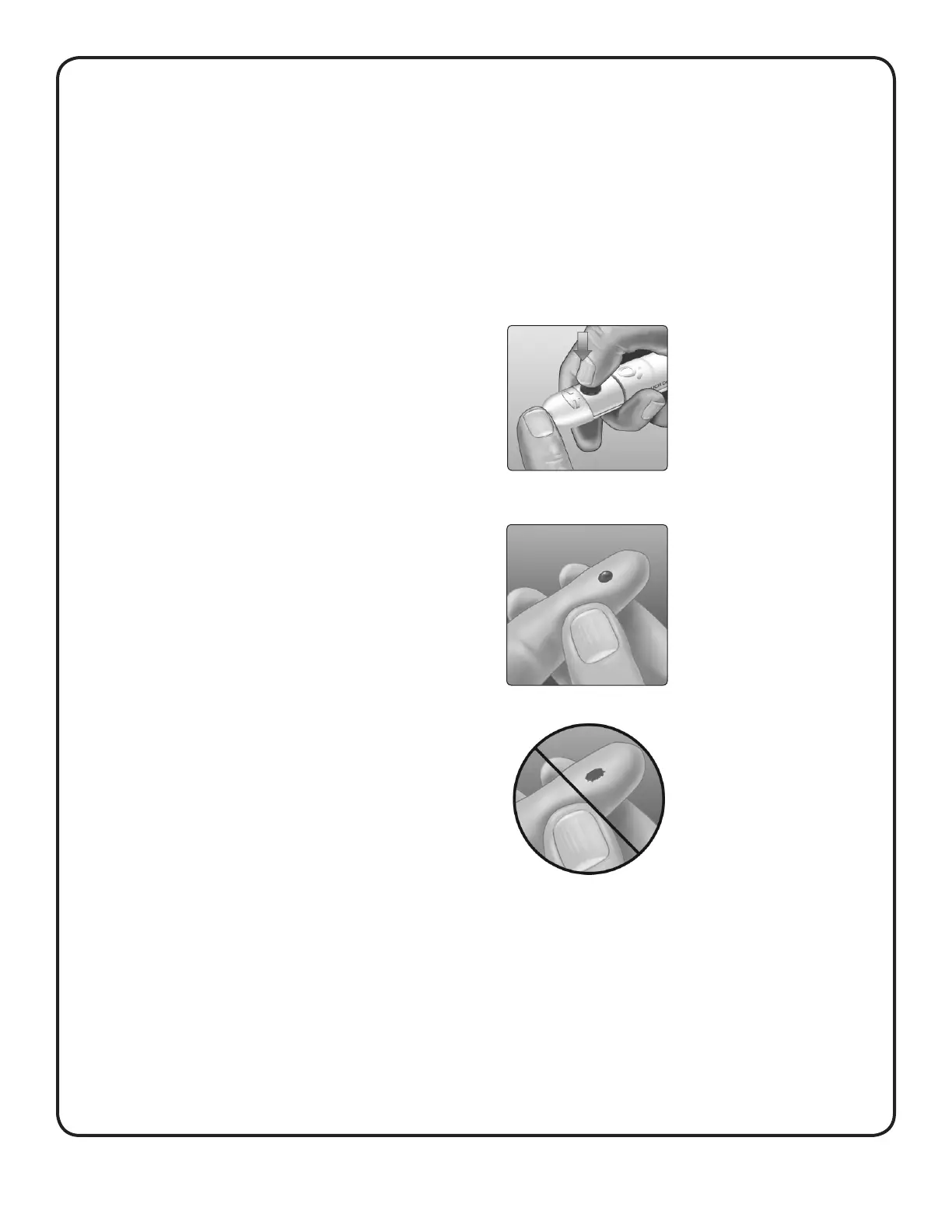
1. Puncture your finger
Hold the lancing device firmly
against the side of your finger.
Press the release button.
Remove the lancing device
from your finger.
2. Get a round drop of blood
Gently squeeze and/or
massage your fingertip until a
round drop of blood forms.
NOTE: If the blood smears or runs,
Do Not use that sample. Dry the
area and gently squeeze another
drop of blood or puncture a
new site.



 To Next Page