11
Getting a blood sample
Getting a blood sample from your forearm or palm is different
than getting a sample from your fingertips. Follow these
instructions to get a sufficient blood drop for testing.
The clear cap is for forearm and palm sampling only. Replace
the blue cap with the clear cap. For more information on how to
obtain a clear cap, contact customer service at 1800 225544 or
022-30845544.
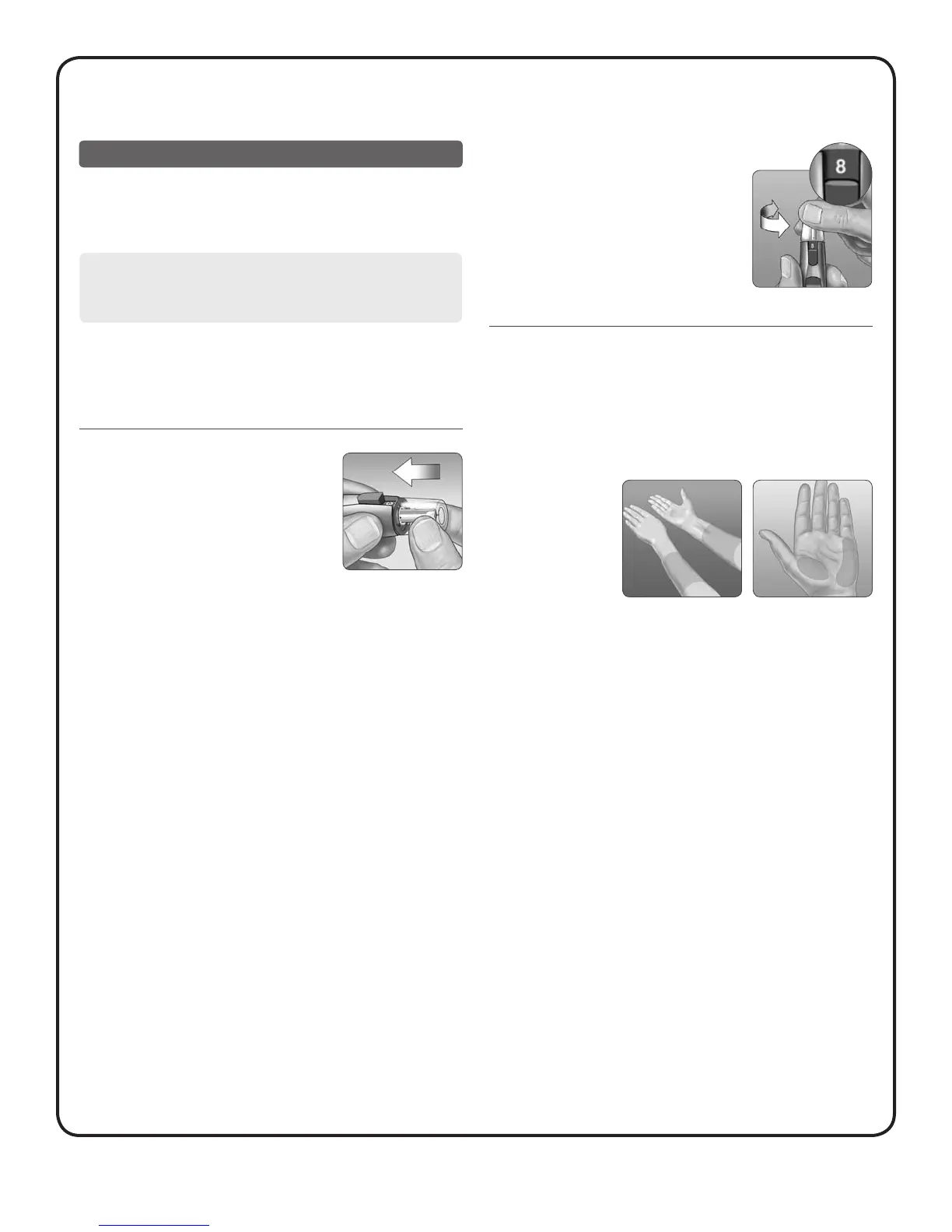
1. Insert a sterile lancet and
snap on the clear cap
2. Adjust the depth setting
You may need a deeper setting to get a
sufficient sample for testing.
Twist the clear cap toward the larger
numbers to increase the depth.
Be sure to cock the lancing device.
3. Choose a sample site
• Choose a spot away from bone, veins, and hair. Massage the site
to increase blood flow.
• Select a spot with no visible veins and avoid deep lines, which
may cause your blood sample to smear.
Palm
Forearm
CAUTION:
Before testing, make sure to wash the puncture site with soap
and water. Rinse and dry thoroughly.



 To Next Page