12
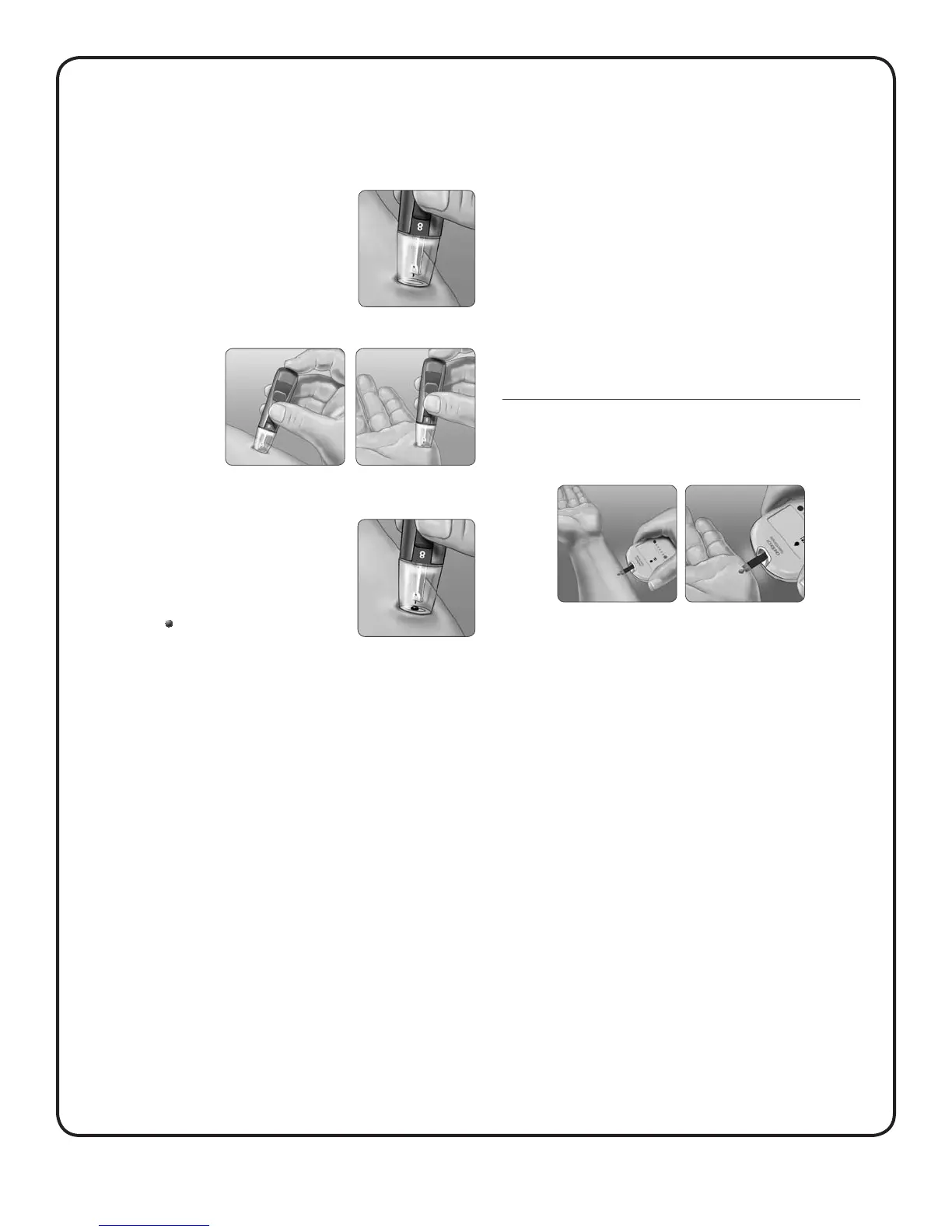
4. Lance your forearm or palm
• Firmly press and hold the lancing device
against your forearm or palm for a few
seconds.
• Wait until the skin surface under the clear
cap changes colour (as blood collects
beneath the skin). This tells you there is
enough blood flow for a good sample.
• Then press the
release button
while continuing
to apply pressure.
• Keep holding the lancing device against
your skin until a round drop of blood
forms under the cap.
• When sampling from your forearm or
palm, make sure the drop of blood is
sufficient (
approximate size) before
you release pressure and remove the
lancing device.
5. Remove the lancing device
Carefully lift the lancing device away from your skin. Do Not
smear the blood sample.
If the drop of blood runs or spreads due to contact with hair
or a line in your palm, do not use the sample. Try lancing
again in a smoother area.
If bruising occurs at an alternate site or you have difficulty
getting a sample, consider sampling from a fingertip instead.
You may want to review the choice of sites with your
healthcare professional.
6. Apply the sample to the test strip
Keep your forearm or palm steady and use your other hand to
bring the top edge of the test strip to the drop of blood.
• See Testing with a fingertip sample in Section B for more
information on applying the blood sample to the test strip.
• See Interpreting unexpected test results in Section B for
more information on unexpected test results.
• See Testing with a fingertip sample in Section B for
information on disposing the used lancet.
PalmForearm
Forearm or Palm
PalmForearm
Forearm or Palm



 To Next Page