14
4. Apply the control solution
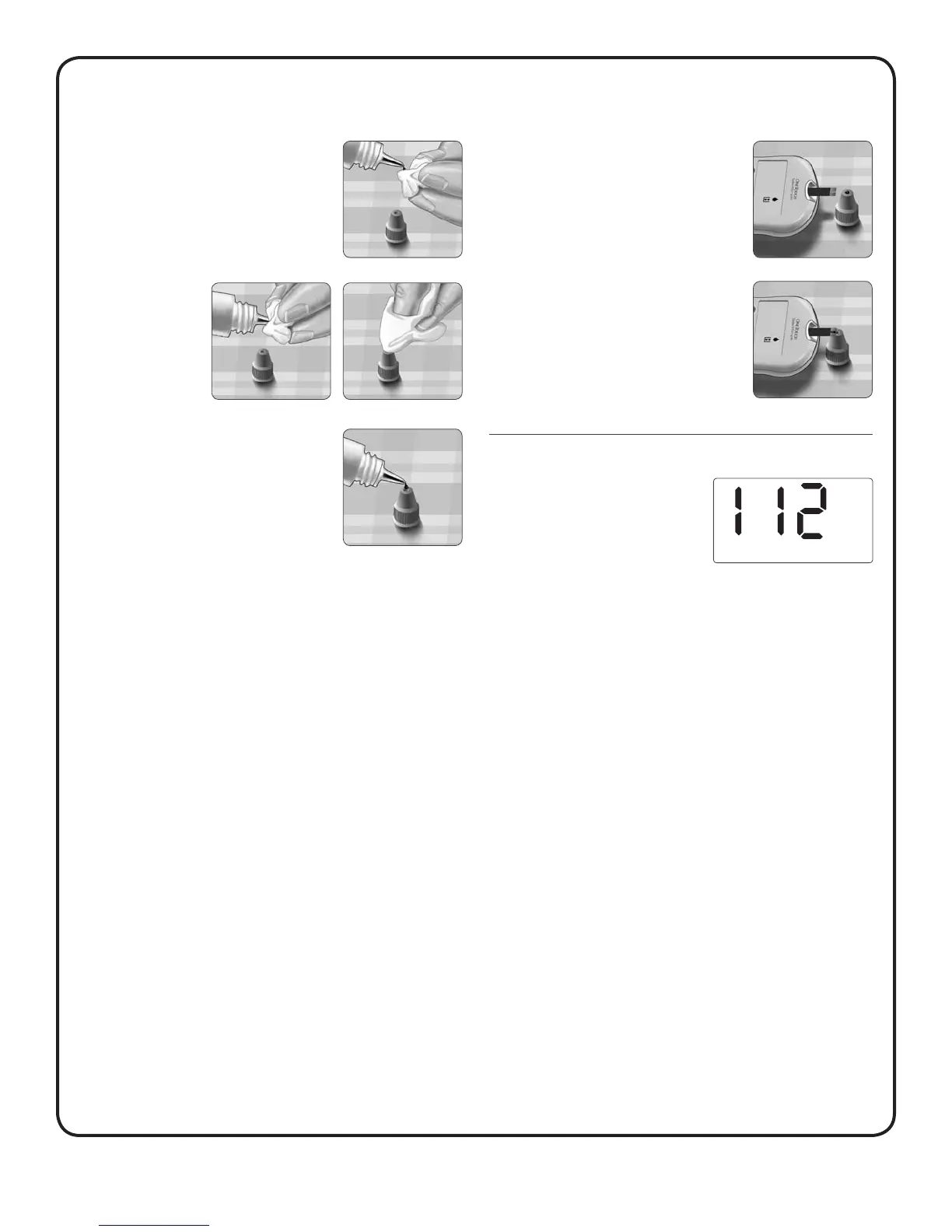
Hold the meter so that the narrow channel
at the top edge of the test strip is at a
slight angle to the drop of control solution.
Touch the channel on the top edge of the
test strip to the control solution. Wait for
the channel to fill completely.
5. Read your result
When the confirmation window is
full, the meter will count down from
5 to 1. Your control solution result
will then appear on the display
along with the unit of measure.
NOTE: If the HIGH/LOW alarm is activated during control solution
testing, do not be concerned or take any action. The HIGH/LOW
alarm should not be used to evaluate control solution results.
3. Prepare the control solution
Before removing the cap, shake the vial
gently. Remove the vial cap and place it
on a flat surface with the top of the cap
pointing up. Squeeze the vial to discard
the first drop.
Wipe both the tip of
the control solution
vial and the top
of the cap with a
clean, damp tissue
or cloth.
Then, squeeze a drop into the small well on
the top of the cap or onto another clean,
non-absorbent surface.



 To Next Page