17
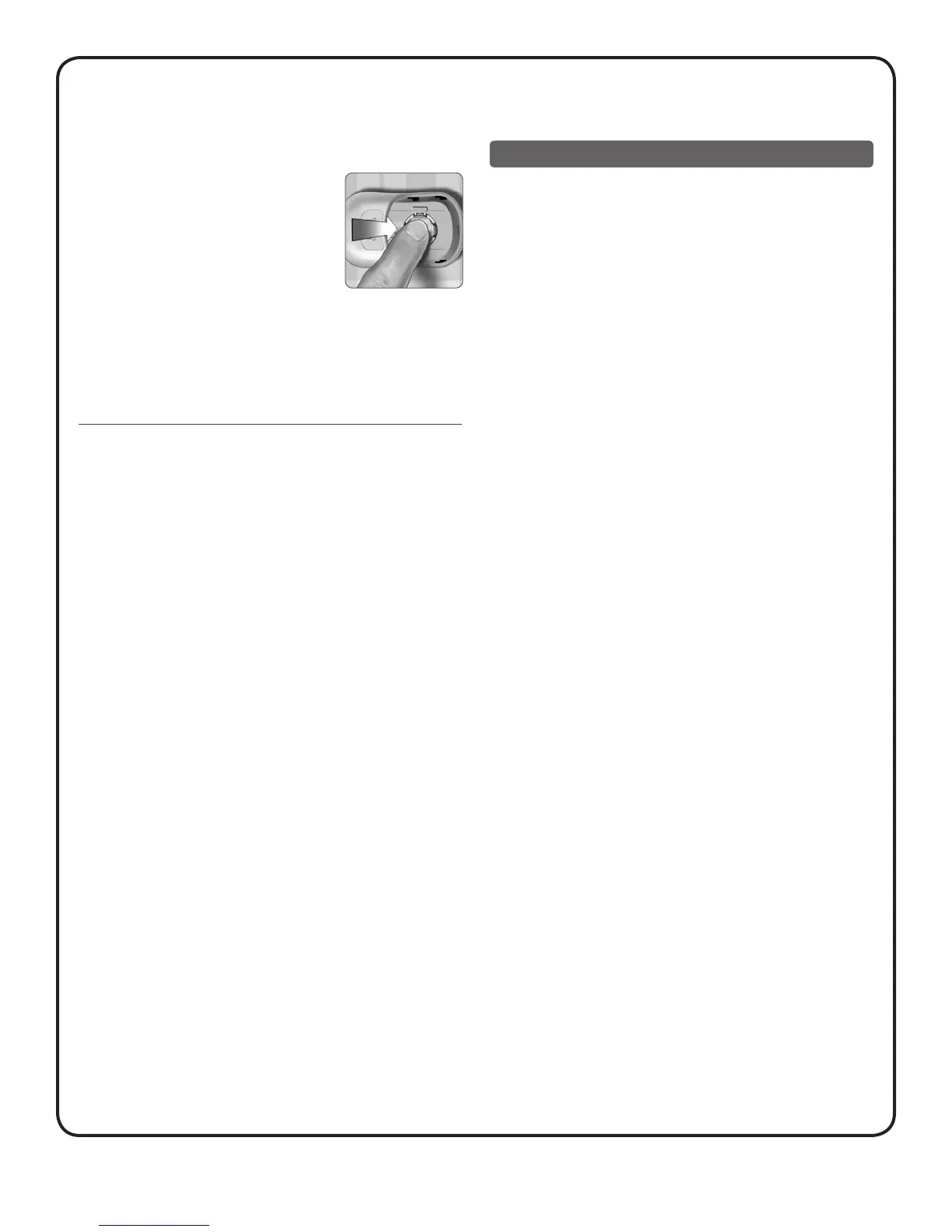
3. Insert the new battery
With the “+” side facing up toward you,
place the battery over the narrow part of
the plastic tab in the compartment. Fold
the wider part of the plastic tab over the
top of the battery, and push the battery
until it snaps into place. Slide the battery
door back into position until it clicks
into place.
If the meter does not power on after you have replaced the
battery, check that the battery is correctly installed with the “+”
side up. If the meter still does not power on, contact customer
service at 1800 225544 or 022-30845544.
4. Dispose of batteries according to your local
environmental regulations
Caring for your system
Your OneTouch® SelectSimple™ Blood Glucose Monitoring System
does not need any special maintenance.
Storing your system
Store your meter, test strips and control solution in your case after
each use. Store each item in a cool, dry place below 30°C, but Do
Not refrigerate. Keep all items away from direct sunlight and heat.
Tightly close the cap on the test strip vial and/or control solution
vials immediately after use to avoid contamination or damage.
Store test strips only in their original vial.
Checking for expiration or damage to test strips
and control solutions
Test strips and control solutions have expiry dates printed
on their vials. When you first open a test strip or control solution
vial, you must record the discard date in the space provided on
the label:
• Test Strips: date opened plus six (6) months
• Control Solutions: date opened plus three (3) months



 To Next Page