1
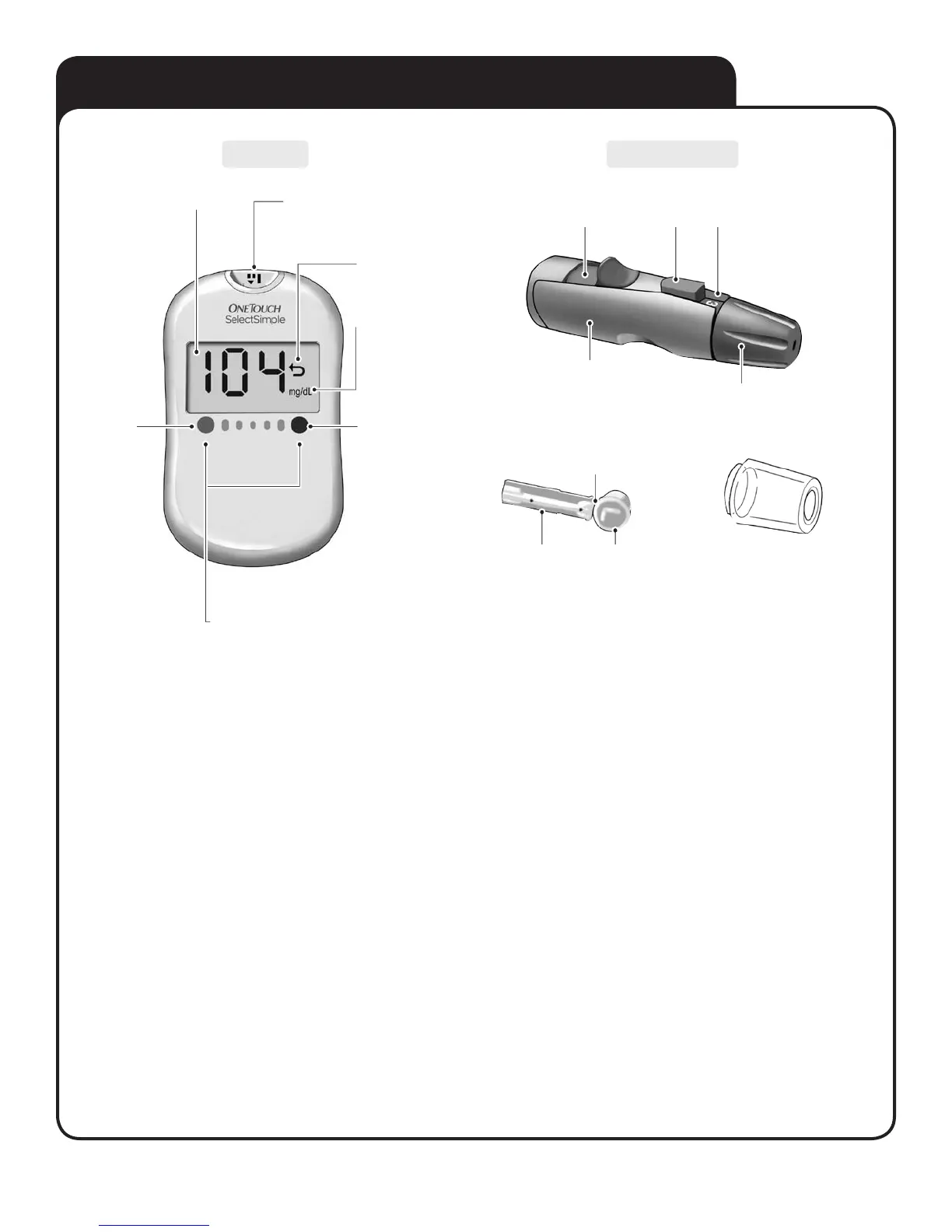
A. GETTING TO KNOW YOUR SYSTEM
Body
Cap
Release
Button
Depth
Indicator
Cocking
Control
Clear Cap
for alternate site sampling
NOTE: If another type of lancing device and/or lancet are
included, see the separate instructions that came with the device.
Meter Lancing Device
Display Test strip port
Insert test strip here
to turn meter on
mg/dL is the
pre-set unit of
measure
Glucose Range Dots
correspond to three pre-set glucose ranges
This will help identify if your blood glucose
test result is “LOW”, “HIGH”, or “VERY HIGH”
Back Arrow
indicates last
result
Actual dot
on meter is
RED
Actual dot
on meter is
BLUE
Sterile
Lancet
Protective
Cover
Lancet
Point



 To Next Page