2
• Whenever you insert a test strip, the meter will display your
last result (blood glucose or control solution test) before
prompting you to apply blood. If this is the first time using the
meter or after installing a new battery, three dashes ( )
will appear instead.
• At times, the meter will beep to alert you to certain conditions,
such as when to apply blood to the test strip or if your test result
is “LOW”, “HIGH”, or “VERY HIGH”.
• The meter does not require coding. It is pre-set to Code 25.
Things to know about testing with the
OneTouch® SelectSimple™ System
• The meter does not require any additional set up.
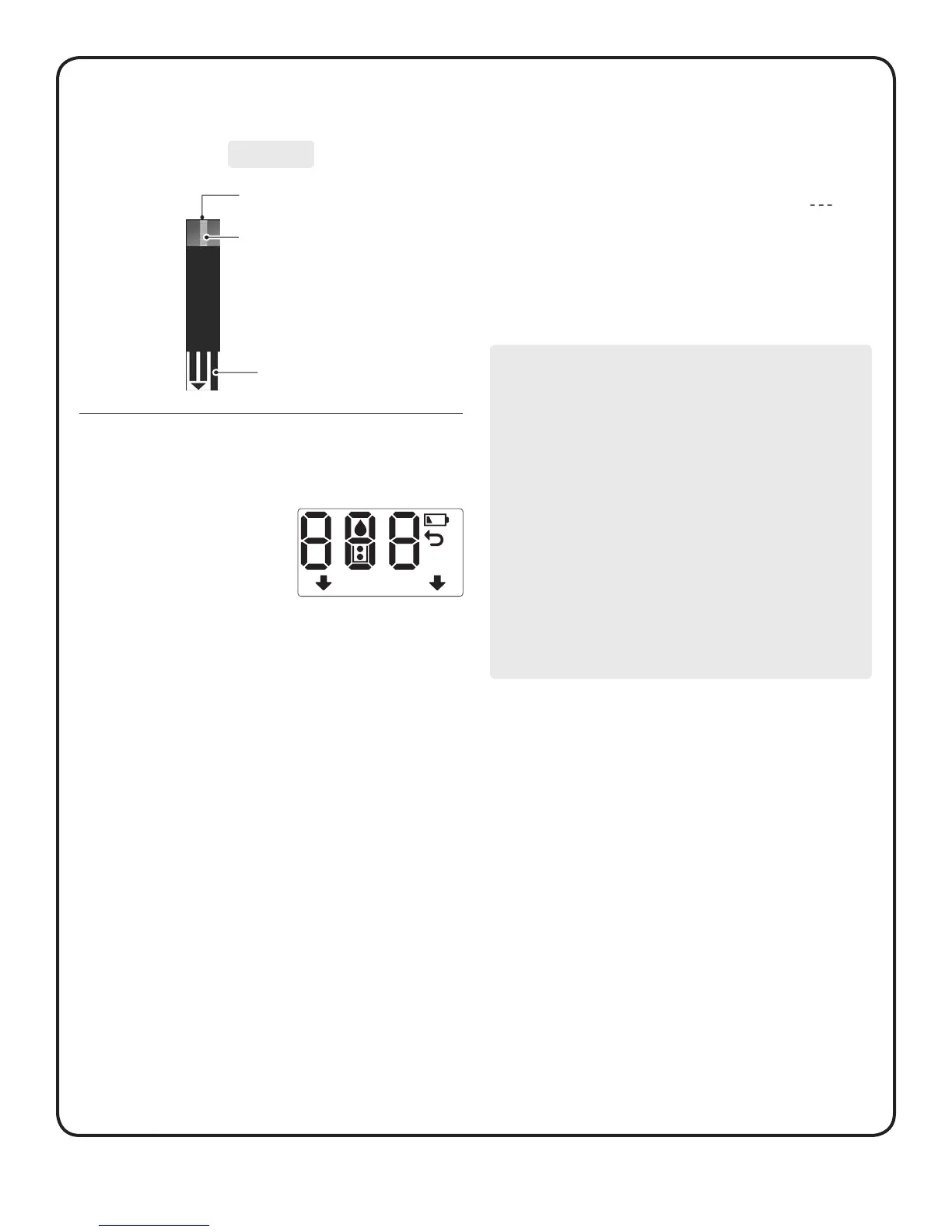
• The meter turns on whenever you
insert a test strip. Every time you
insert a test strip, a start-up test
screen will appear for 2 seconds.
All segments of the display should
appear briefly on the start-up test
screen to let you know the meter
is working properly.
CAUTION:
• If any information is missing from the start-up test screen,
there may be a problem with the meter. Contact customer
service at 1800 225544 or 022-30845544.
• If the meter does not turn on after inserting the test strip:
1) Make sure that the test strip is inserted with the contact
bars facing you and the arrow pointing down, see
Testing with a fingertip sample in Section B.
2) Be sure that the battery is properly installed, see
Inserting/replacing battery in Section D.
3) Make sure you are using the correct test strip. Use only
OneTouch® Select™ Test Strips (Code 25 only).
• If the meter still does not turn on, contact customer service
at 1800 225544 or 022-30845544.
Edge to apply sample
Confirmation window
Contact bars
Insert into test strip port
Test strip



 To Next Page