4
B. TESTING YOUR BLOOD GLUCOSE
Testing with a fingertip sample
Before testing, wash your hands thoroughly with warm, soapy
water. Rinse and dry.
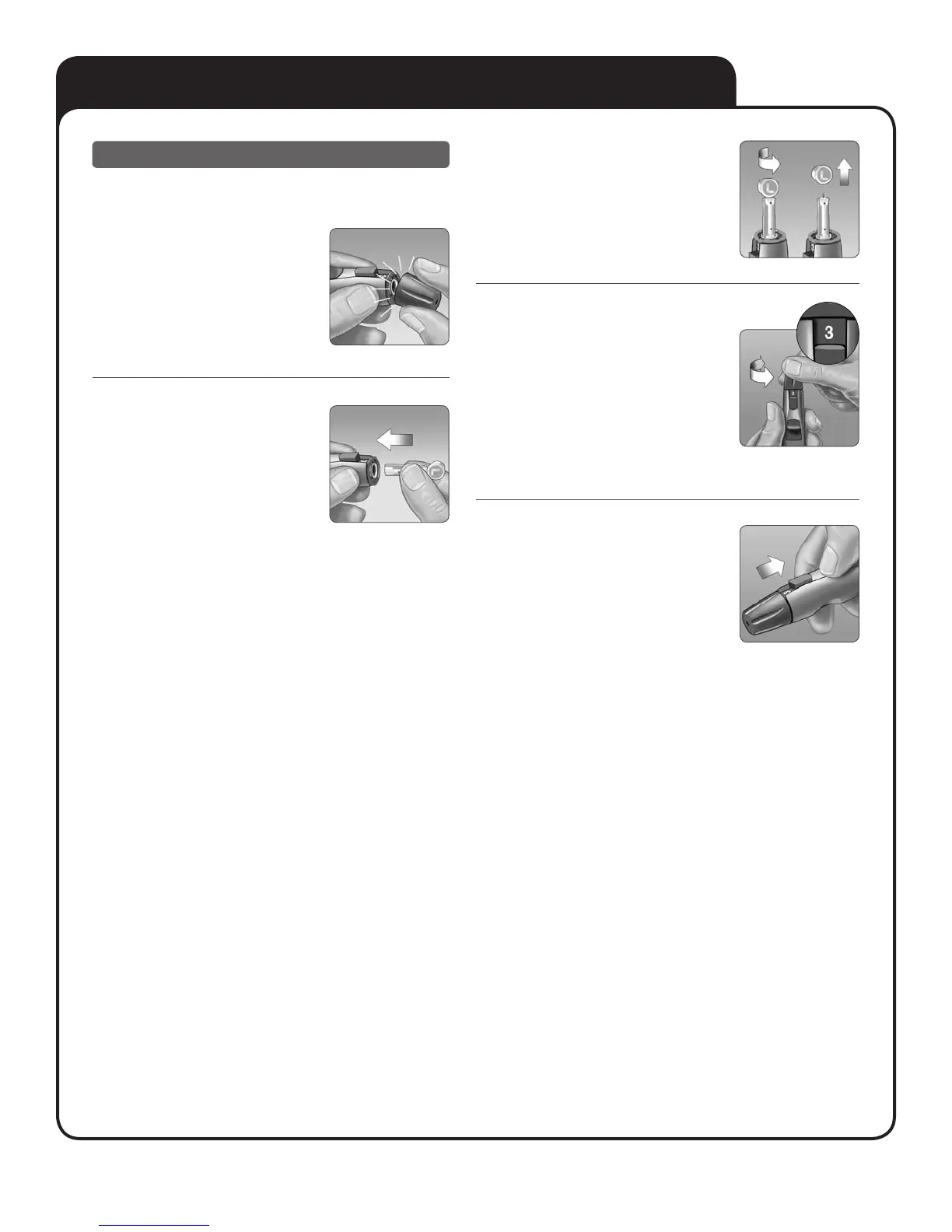
1. Snap o the lancing
device cap
2. Insert a sterile lancet
Firmly push the lancet into the holder.
NOTE: For alternate site testing, use only OneTouch®
UltraSoft® Lancets.
3. Twist o the protective
cover and save it for
later use
Replace the blue cap by snapping it
back on.
4. Adjust the depth setting
Twist the lancing device cap until the
desired setting appears. Smaller numbers
are for shallower punctures, which may be
less painful.
Shallower punctures work for children and
most adults. Deeper punctures work well
for people with thick or callused skin.
5. Cock the lancing device
Slide the cocking control back until it
clicks.
If it does not click, that’s okay. It may have
been cocked when you inserted the lancet.



 To Next Page