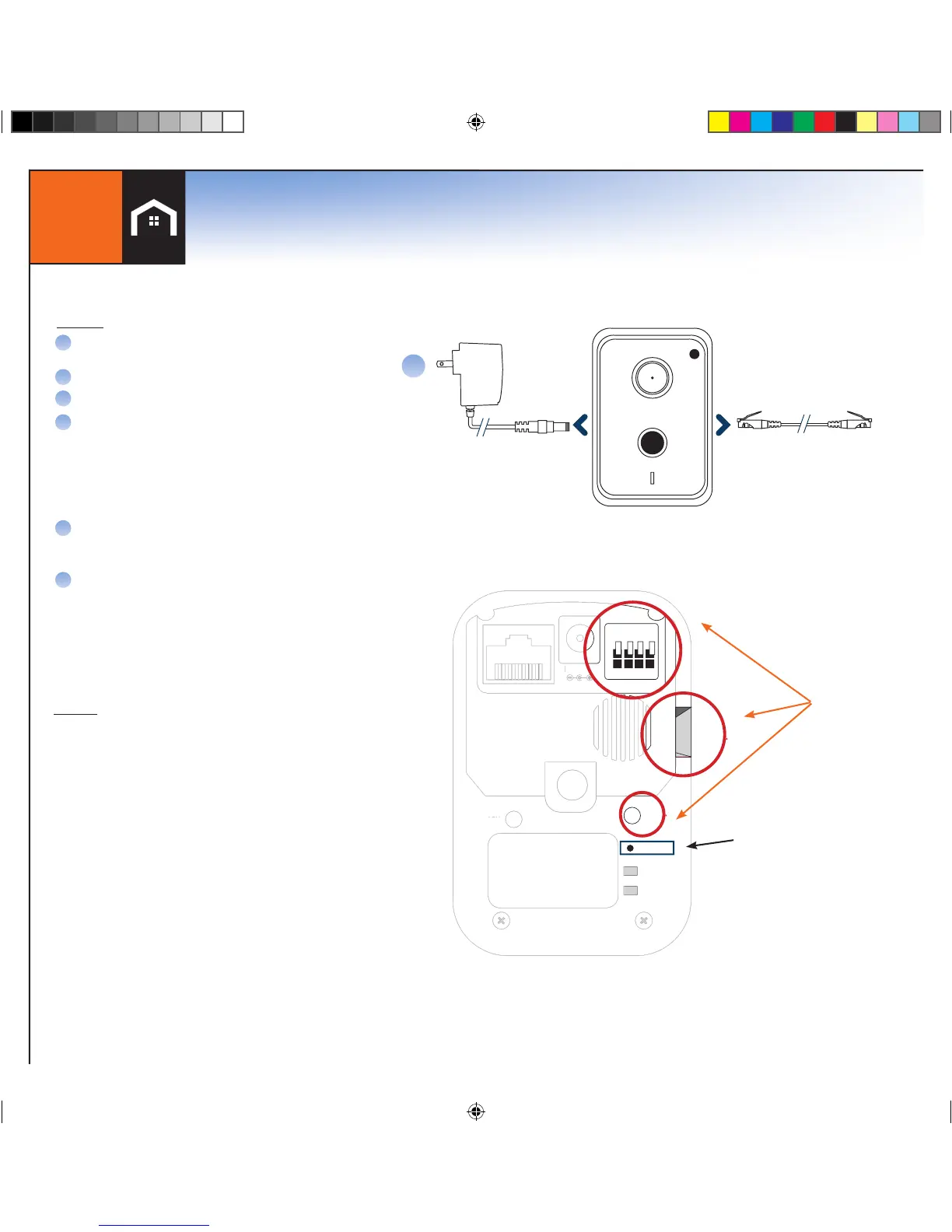
To reset, insert paperclip into
reset button (next to power
connector) for at least 5 seconds
and release
DO NOT use the WPS Button,
Micro SD Slot, or green wire
connector
*Wireless, or WiFi, technology allows an electronic
device to exchange data wirelessly (using radio
waves) over a computer network
A
B
C
D
E
First plug Ethernet cord into camera and router.
Wait for Power LED to stay solid
On console select Menu > Cameras > Add New
Once all cameras are found, press OK
Log in to LifeView and select Camera > Camera
Settings > Edit.
A. Enter SSID or Network Name, wireless
connection security type and password
*Entries are case sensitive, spelling and
spacing must be exact
Once Wifi* information has been saved wait
2 minutes before unplugging the power and
then Ethernet
After 2 minutes, plug power back into camera and
leave Ethernet unplugged. Once power light is solid
the camera is wireless and ready for final placement.
*If the camera works while connected to
the Ethernet but not wirelessly then the
WiFi* information must be verified. Repeat
step D if necessary.
TO USE
NOTES
Must be on same router as your LifeShield Base to
setup. After setup, plug into power where you like
Setup WiFi using camera Settings in LifeView,
disconnect Ethernet cable, then remove and
reconnect the power
Setup alerts in LifeView to take pictures when
sensors tigger
Live video per session is 5 minutes
If the camera works while connected to the Ethernet
but not wirelessly then the WiFi information must be
verified. Repeat step D if necessary.
F


 To Next Page