14 LifeSize Room User Guide
Adjusting Volume
You can adjust the volume of a call using the button on the remote control or on the
phone.
Muting Microphones
To mute the microphone during a call, press the button on the remote control or on the
phone. An onscreen indicator shows the mute status. Pressing the button again re-
activates the microphone.
When the far end enables mute (turns off their microphone), an indicator displays on the far
end input window.
Managing Audio Quality
The system automatically selects the best audio algorithm based on the call rate and the
capabilities of the remote system. The following standard codecs are currently supported:
Refer to your administrator (or to “Configuring Audio Behaviors” on page 27) to specify the
order of audio algorithms so that you can reduce low quality audio, or if you have
interoperability issues when calling other systems.
Managing Video
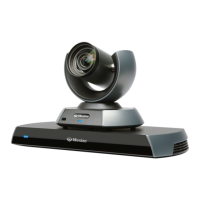
The LifeSize high definition pan/tilt/zoom camera includes:
• Wide angle zoom lens with a 70 degree field of view
• Resolution of 1280 x 720, 30 frames per second
AAC-LC CD-quality audio, MPEG-4 Advanced Audio Coding Low Complexity (AAC-
LC with variable bit rate)
G.711 Normal quality audio (telephone quality 3.1kHz at 64kb/s), both A-Law and
µ-Law
G.722.1 Compressed high quality audio (7 kHz at 24kbps, 32kb/s)
G.722 High quality audio (7 kHz at 48kb/s, 56kb/s or 64kb/s)
G.729 Compressed normal quality audio (telephone quality at 8kb/s)



 To Next Page