Need help?
Do you have a question about the LifeSize Room and is the answer not in the manual?
Details the operating and storage environmental requirements for the LifeSize Room system.
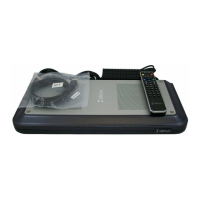
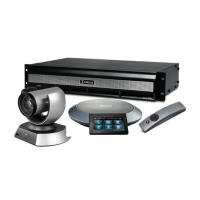
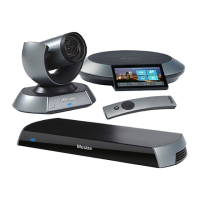
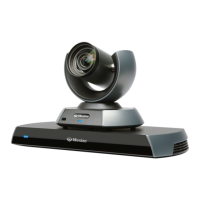
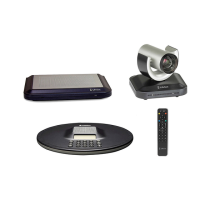
Lists the physical components included in the LifeSize Room package for setup.
Provides a step-by-step guide for connecting and setting up the LifeSize Room system.
Explains the functionality and location of the remote control's infrared sensor.
Defines icons used in the system interface to indicate settings and call conditions.
Describes how to answer, ignore, or reject incoming calls.
Explains choices for voice and video dialing protocols like VoIP and PSTN.
Instructions for increasing or decreasing the audio volume during a call.
How to mute and unmute system microphones during a call.
Details supported audio codecs and quality management for calls.
Information on video compression standards like H.264 and H.263.
How to pan, tilt, and zoom the camera using the remote control.
Enables control of the remote participant's camera if supported.
Guide to choosing primary and secondary video inputs for the display.
Procedure to hide system information and navigation bars during a call.
Options for enabling or disabling the Picture In Picture window.
Recommendations for setting up two displays for presentations.
Steps to add new contacts to the local directory.
Customizing language, system name, display background, and screen saver.
Configuring redial entries, auto answer, and audio tone volumes.
Procedure to secure administrator preferences by changing the default password.
Steps to restore the system to its original factory default state.
Setting up network connectivity using DHCP or static IP addressing.
Configuring H.323 protocol for calls via a gatekeeper.
Setting up Session Initiation Protocol (SIP) for multimedia conferencing.
Setting up Network Address Translation (NAT) to traverse firewalls.
Adjusting call preferences like bandwidth and auto answer.
Understanding how bandwidth affects call quality and setting maximum speeds.
Selecting the preferred language for the system interface.
Setting the system's time zone and locale preferences.
Adjusting audio preferences and codec order for calls.
Adjusting video display preferences and camera control settings.
Manually setting display type and resolution via the LifeSize Phone interface.
Specifying network QoS settings for audio, video, and data priorities.
Accessing system configuration and directory management via a web browser.
Procedure for rebooting the LifeSize Room system through the interface.
Accessing and displaying real-time audio/video call statistics.
Manually setting the system's date and time.
Guidance on diagnosing and resolving common problems with the system.
Resolving problems related to camera response, video output, and initialization.
Tips for adjusting environmental lighting for optimal camera image quality.
Troubleshooting steps for when no dial tone is received.
Addressing muffled audio, low volume, and reverberant room effects.
Identifying network issues and connection problems causing audio distortion.
Interpreting network status indicators and troubleshooting connection failures.
 General
| Dual Display Support | Yes |
|---|---|
| Video Standards | H.264, H.263+ |
| Audio Standards | G.711, G.722 |
| Connectivity | Ethernet |
| Remote Control | LifeSize Remote Control |
| Audio Features | Echo cancellation, noise reduction |
| Operating Temperature | 0°C to 40°C (32°F to 104°F) |
| Storage Temperature | -20°C to 60°C (-4°F to 140°F) |
| Relative Humidity | 10% to 90%, non-condensing |
| Power Supply | 100-240V AC, 50-60Hz |


 To Next Page