18 LifeSize Room User Guide
You must then set the secondary input as described in step 1 of the following procedure and
in “Selecting Input” on page 16.
Presentations
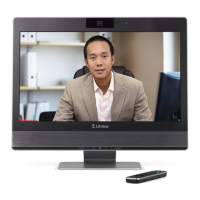
LifeSize Room includes H.239 support for sharing presentations or data on a PC while
simultaneously displaying the main video. This enables you to view a live presenter and the
content at the same time. LifeSize recommends using a dual display configuration as
described in “Dual Display Configurations” on page 17.
To initiate a call in presentation mode, follow these steps:
1. If you wish to change the primary and secondary inputs you can do so either prior to the
call or during the call. To change inputs during a call, proceed to step 2. To designate
inputs prior to the call, follow these steps:
a. Press the Near button, or navigate to the picture-in-picture window using the arrows
and press OK.
b. Press the Near button again or press the button to display the Primary Input
selection dialog.
The default primary input is the High Definition Camera.
c. Accept the default by pressing OK, or change the default value by selecting the
desired input and pressing OK.
d. Press the button to proceed to the Secondary Input selection dialog.
The default secondary input is the VGA input, named PC. The secondary input is
used for presentations.
e. Accept the default by pressing OK, or change the default value by selecting the
desired input and pressing OK.
You are now ready to make a call.
f. Press the button to return to the main screen.
2. Choose a number from the Redial list, or select the or buttons and enter a
number to call. (The last manually entered number appears in this field by default.)
Refer to “Placing a Video Call” on page 10 and “Placing a Voice Call” on page 11.
3. If you did not change the primary and secondary inputs in step 1 and do not want to use
the default values, change them now. Ensure you are controlling the near camera, press
Near to select the Primary Input, and press Near again to select the Secondary Input.



 To Next Page