TOOLS AND HARDWARE REQUIRED FOR THIS PAGE
19
SEC
SEC
2.6
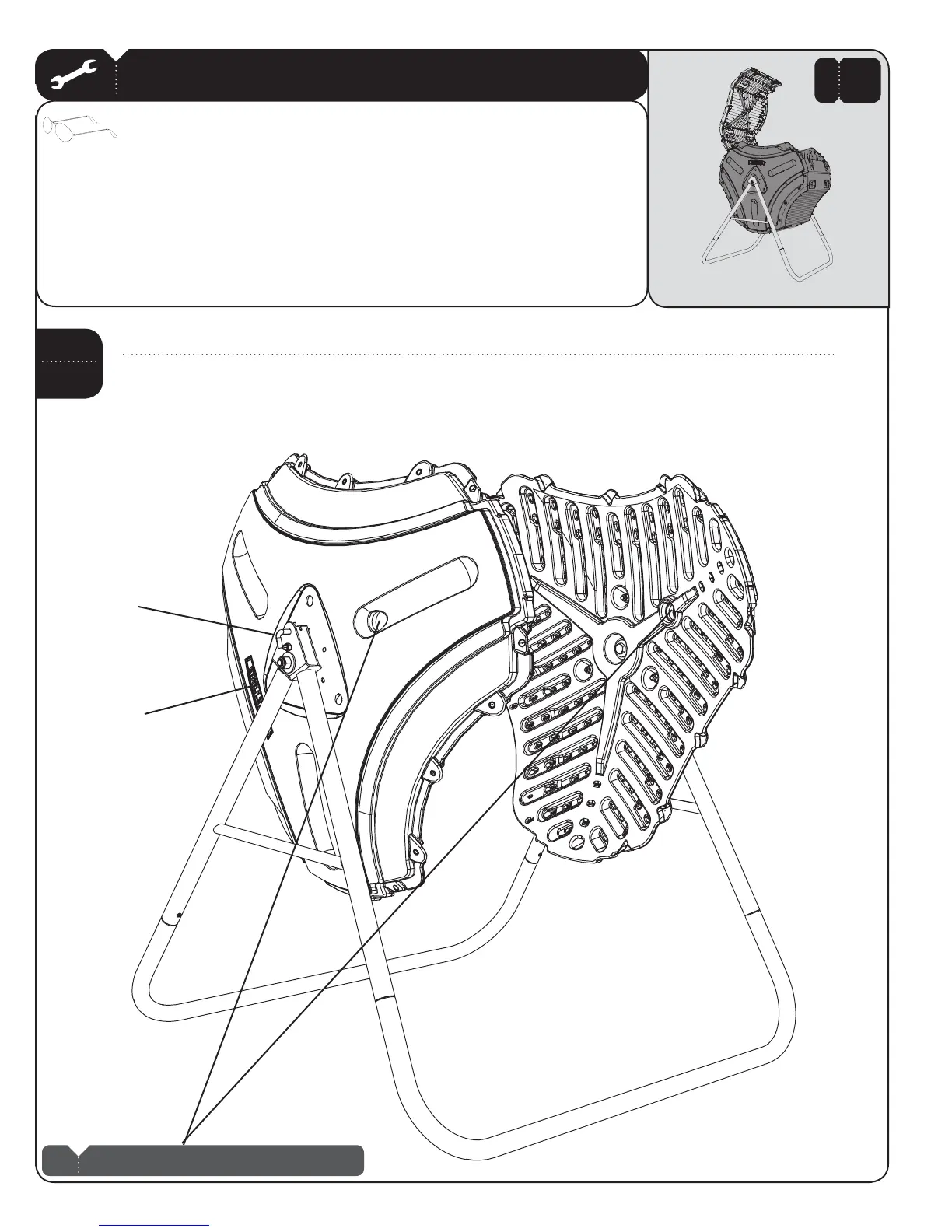
4URNTHE%ND0ANELCONTAININGTHEWARNINGSTICKERSOTHE,IFETIMELOGOFACESTHEDIRECTIONSHOWN3ECURETHE%ND
0ANELINPLACEWITHTHE,OCKING0INOrient the second End Panel to match the first to align the two ventilation holes. Have
another adult hold this second Panel in place.
Lifetime Logo
Locking Pin
NO HARDWARE REQUIRED FOR THIS PAGE
2 ADULTS REQUIRED FOR THIS STEP
Note: These two ventilation holes must be aligned.
!
2


 To Next Page