Installation
• Up to six 2-way dimmers (six gangs) can be connected to a standard
LightwaveRF dimmer switch. Each 2-way can be connected directly to the
standard dimmer, or connected to each other in a ‘daisy-chain’. This
provides an alternative to using intermediate switches (maximum cable
length of 100m)
• The 2-way dimmers use standard 3-core connecting wires; however,
because they are electronic dimmers, they utilise one of the cores as a
signal cable (‘S’) running between the dimmers (as shown on the diagram).
This is low voltage only and should not be connected to 230V mains.
Important: Never install and run power to a LightwaveRF 2-way dimmer
switch before first installing and connecting the counterpart standard
LightwaveRF dimmer. Serious damage could be caused to the unit.
Connecting to a 2-Way Dimmer
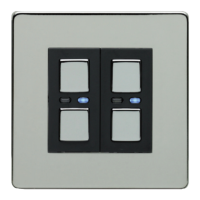
• Any LightwaveRF dimmer switch (and any gang in a multigang dimmer)
can be used in conjunction with a LightwaveRF 2-way dimmer to perform
2-way switching. For full instructions on how to install a 2-way dimmer,
please consult the instruction booklet for the 2-way dimmer.
Important: The dimmer must be used with a LightwaveRF 2-way dimmer
and cannot be used with another LightwaveRF dimmer or a standard light
switch. This will cause damage to the dimmer.


 To Next Page