First Step Check and Change Settings
Settings for wood species are listed on the laminated pocket guide included with
each meter. To recall active settings push the SET/HOLD key repeatedly.
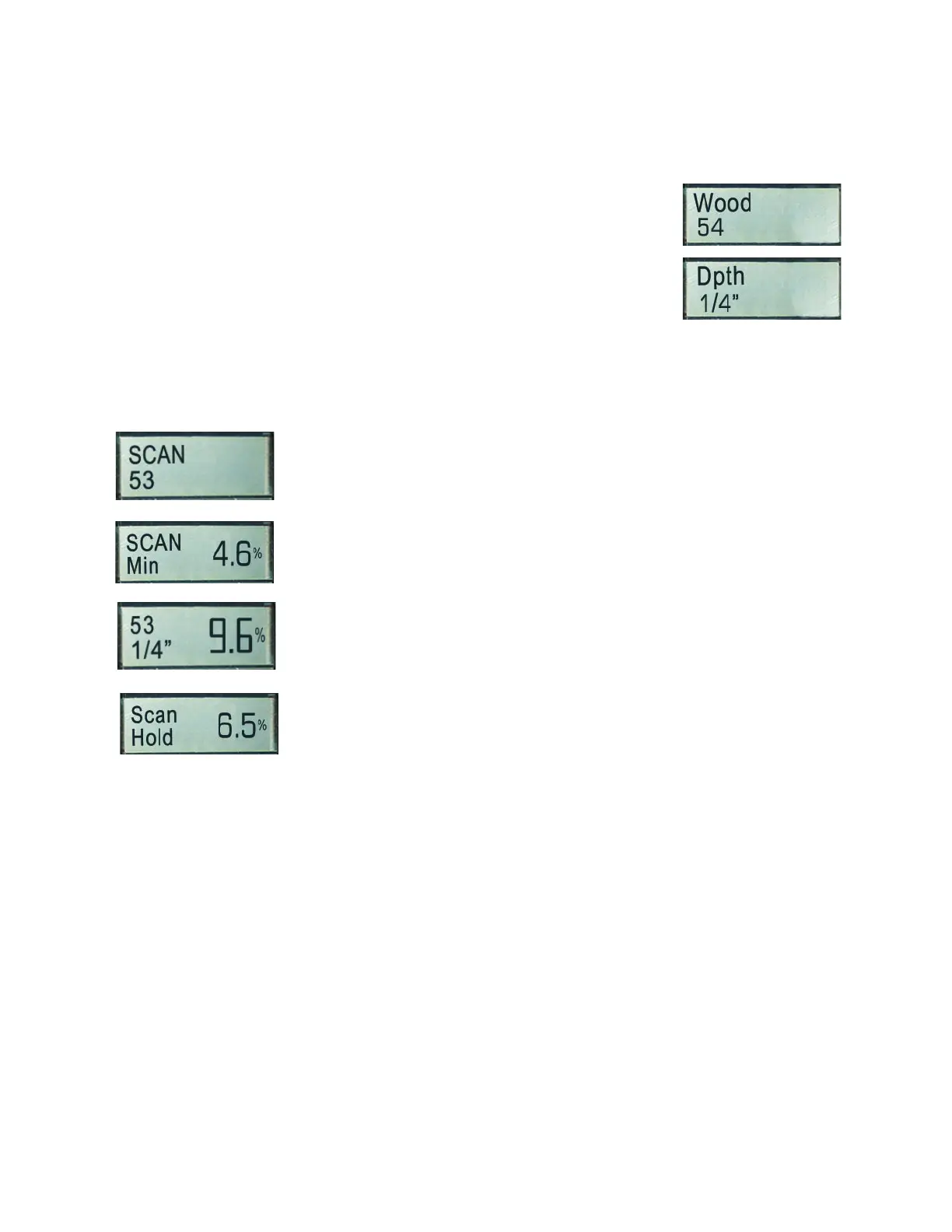
1st: Active Material settings for wood
2nd: Active settings for Measuring Depth
for 1/4” or 3/4” (7mm or 20mm).
Use ▲ or ▼ keys to change settings.
Taking Measurements
After settings have been checked / changed, press the READ
key to obtain moisture readings. The active settings appear
briefly. Then, if the measuring pads are not in contact with any
material, the lowest possible value for the active wood setting
appears: SCAN/min is 4.6 for setting #53.
If measurements are taken, the measured value (9.6%), the
active wood species setting (53) and the measuring depth is
displayed. (1/4” or 3/4”)
The HOLD key is used to freeze the indicated value for one
minute. Helpful when taking notes or when measuring in places,
where the display cannot be read while measuring. At any time
you can switch back to measuring by pushing the READ key
again.
5
While taking measurements:
- If the material is too dry to be measured, the meter will show the lowest possible value
indicated by SCAN/Min on the left side of the display.
- If the material is too wet to be measured, the meter will show the highest possible value
indicated by SCAN/Max on the left side of the display.
The lowest possible moisture percentage is diff erent depending on wood species, for
hardwoods the value is below 5%, for softwoods the value is above 5%.
HOLD function can be activated at any time during measurements. The meter turns off
automatically after three minutes.


 To Next Page