7
New ways to use the dual-depth capability of the Ligno-Scanner SD
-- Measuring products less than 3/4” thick: Many panel and fl oor products are only
5/8” thick, which does not work well for a 3/4” measuring depth. One example: When
fl oor planks 5/8” thick are installed and measured with a pinless meter set for a 3/4”
measuring depth, you cannot be sure that the subfl oor or concrete underneath is not
aff ecting the readings. With the Ligno-Scanner SD on the 1/4” depth setting, you defi -
nitely only measure the fl oor planks .
--Measuring engineered products: You can fi nd the moisture content of the thin top
layer made from hardwood by using the corresponding species setting and 1/4” depth.
Using those results, a setting can be found for the entire fl oor plank. Page 9.
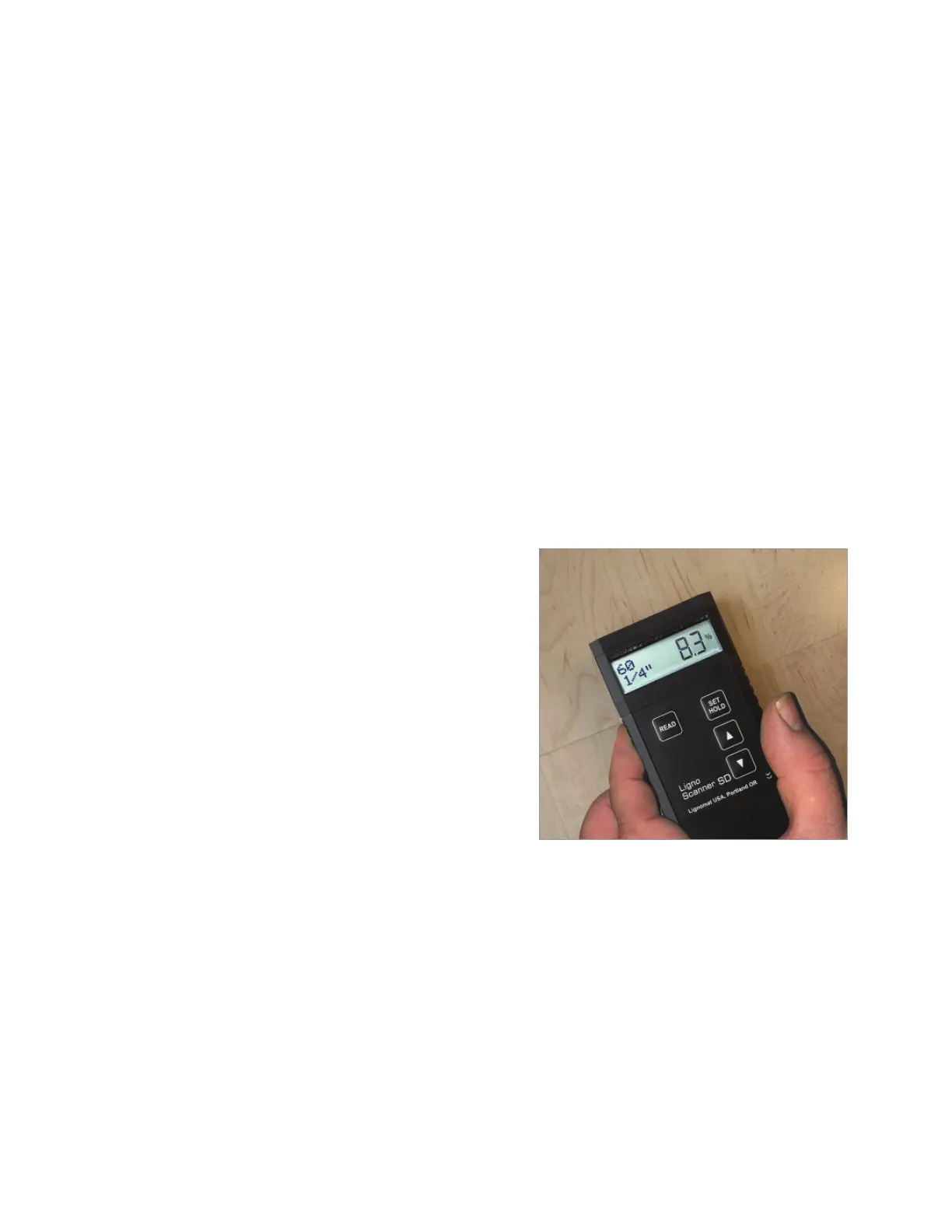
--Toggle function: The measuring depth can be changed with up or down keys with
out moving the meter. This allows you to compare surface and core moisture.
Toggling can also be used to diagnose fl oor failures or to monitor acclimation.
-- 1/4” depth setting allows for checking dryness of waterbased fi nishes. Works great
for veneer or for measuring moisture close to the surface.
Toggle Between 1/4” and 3/4”
While measuring, you can toggle between the
two measuring depths. Push the ▲ key to switch
to 1/4” (20mm). Push the ▼ key to switch to 3/4”
(7mm). One hand can hold the meter, the other
hand can activate the up or down key. You do not
have to move the meter at all.
This is a great way to compare surface with core
moisture.
Measuring Veneer
Measuring Veneer: We recommend placing a lite-weight (non-weight) material such as
styrofoam underneath the test sample when measuring veneer or other thin materials. It
not only prevents inaccurate readings, but also helps to create a fl at measuring platform.
To obtain accurate readings for very thin veneer it may be necessary to make a stack of
several sheets.
You can also fi nd a calibration setting for single veneer sheets,
see “Find Settings for Composite and Engineered Boards” page 9:
Start with Step 2, if you know the moisture content of the veneer sheet. Otherwise, start
with Step 1b, if you have a sheet acclimated to a known relative humidity.


 To Next Page