Fig 1.
Fig 2.
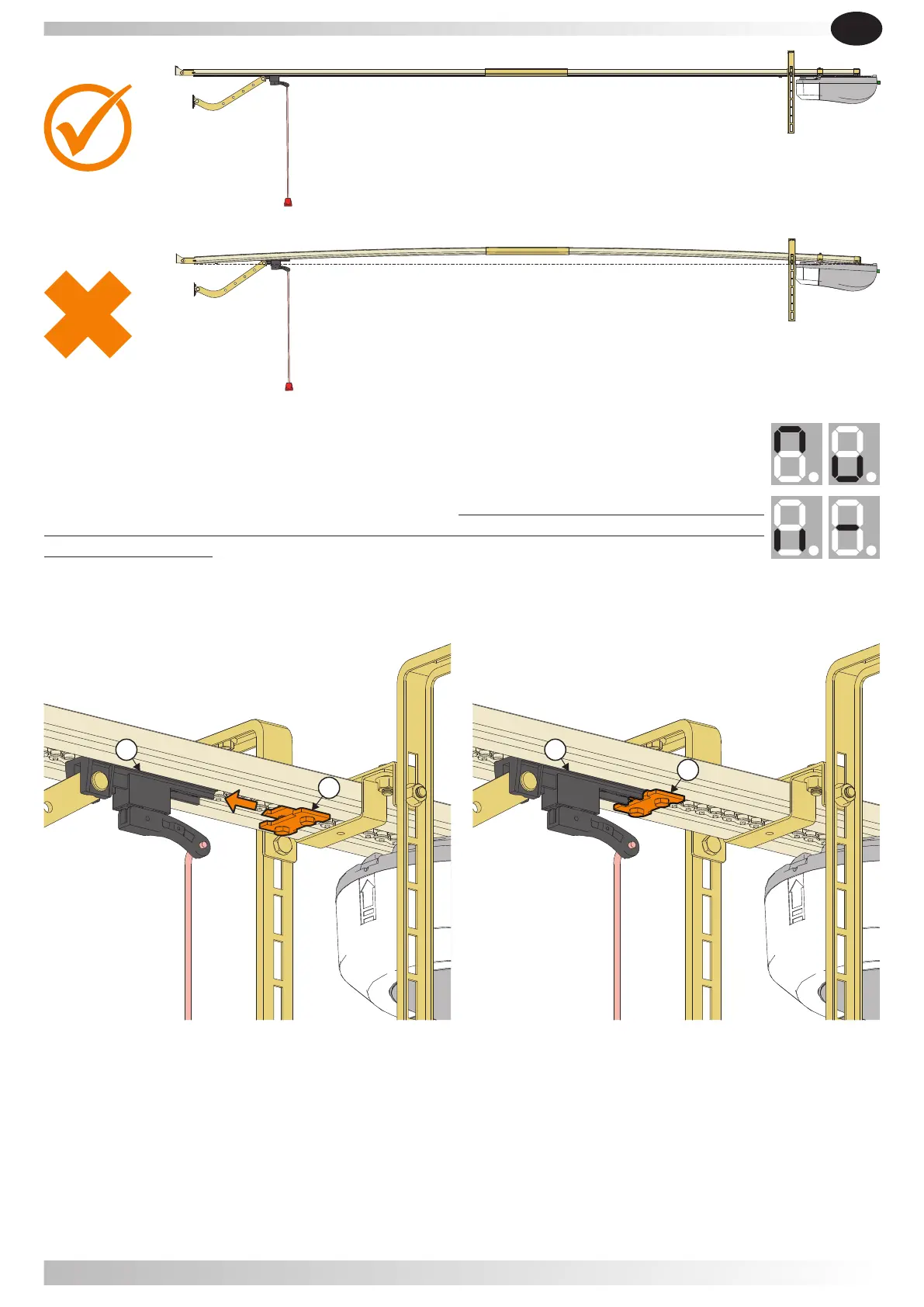
5.2.7- After programming the limit switch, open the door to the fully open position, and then adjust and
tighten the rear mechanical stop (A) against the carriage (B) shown in figure 4.
Fig 3. Fig 4.
5.2.5- The door will open and close automatically to map the open and close sensitivity
force requirements.
5.2.6- It displays " " to show setting is complete.I I If you see the symbol " - " it means
that the setting position wasn't saved. See the possible solution in Chapter 6
"Troubleshooting".
EN
LIKE IT
44
B
A
B
A
B
A


 To Next Page