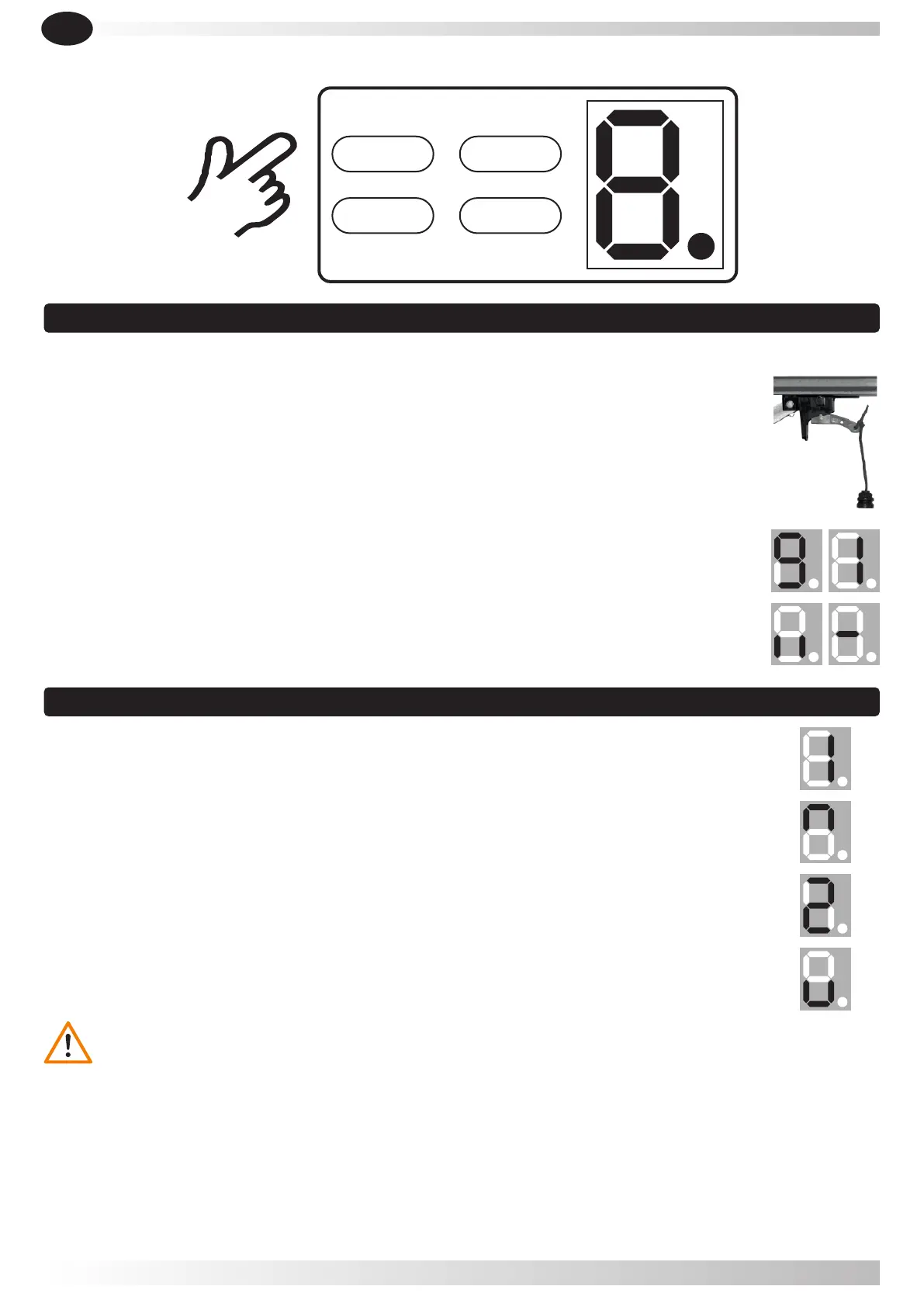
5.1.1- Keep trolley locked, pull or push the door by hand, make sure the trolley connects
with the chain connection device. (until you hear it block).
5.1.2- Turn on the power, the courtesy light is on for several seconds.
Meanwhile, LED display will show numbers from " 9 " to " 1 ". Then the operator turns to
standby situation.
5.1.3- At last, it displays " I I " or " - ".
5.2.1- Press and hold button SET until display shows " 1 ".
5.2.2- Press and hold button UP.
5.2.3- When the door has reached the open position, press button SET. It displays " 2 ".
5.2.4- Then press and hold button DOWN,When the door has reached the closed position,
press the button SET.
Note: In closed position, the door shouldn’t make too much force/pressure
against to floor .
Lock
5.1 Preparing
5.2 Setting open and close positions
UP
DOWN
SET
CODE
5. Programming the operator
LIKE IT
43
During programming of the limit switch in the closing position, the engine track shall NOT show any
curving (not be bowed) (fig. 2) , it shall be completely straight without any deformation (fig. 1).
If the floor where the sectional door is installed has a slope (inclination between the two edges of the floor
where the bottom rubber seals the door), the difference between the highest and lowest end of the floor
can never be compensated with the motor force, but with the panel cuttedf with the same slope. If the
panel is not cutted, the limit switch programming should be done in the highest position of the floor.
EN


 To Next Page