EasyManua.ls Logo

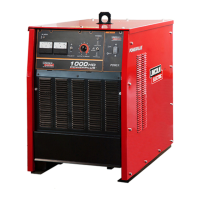
Lincoln Electric POWERPLUS 1000HD - User Manual

Lincoln Electric POWERPLUS 1000HD
14 pages
Print Icon
To Next Page IconTo Next Page
Loading...
IM8000-11
MAR., 2018
Rev. 01
POWERPLUS
1000HD
For use with machine Code: K60067-5 / 76339
World’s Leader in Welding and Cutting•
THE SHANGHAI LINCOLN ELECTRIC CO.,LTD
No. 195, Lane 5008, Hu Tai Rd. Baoshan, Shanghai, PRC 201907
www.lincolnelectric.com.cn
Copyright © 2018 The Shanghai Lincoln Electric Company
Safety Depends on You
Lincoln arc welding and cutting
equipment is designed and built with
safety in mind. However, your overall
safety can be increased by proper
installation and thoughtful operation on
your part. DO NOT INSTALL, OPERATE
OR REPAIR THIS EQUIPMENT
WITHOUT READING THIS MANUAL
AND THE SAFETY PRECAUTIONS
CONTAINED THROUGHOUT. Most
importantly, think before you act and be
careful.

Questions and Answers

  • A
    Andrea SmithAug 18, 2025
    What to do if my Lincoln Electric Welding System has no output, fun not operational, and the status light doesn't display?
    • S
      Scott DavisAug 18, 2025
      If your Lincoln Electric Welding System exhibits these symptoms, start by replacing the fuse and fuse holder. If that doesn't resolve the issue, the power switch might be faulty and needs replacement. Also, ensure the connection of the 12V relay is tight. Check for a missing input phase voltage and ensure the input three-phase voltage suits the machine, reconnecting if necessary.
  • L
    lynnharrisAug 20, 2025
    What to do if my Lincoln Electric Welding System machine does not have maximum output 75V+/- 5?
    • G
      garybeckAug 20, 2025
      If your Lincoln Electric Welding System isn't reaching its maximum output, first check the line voltage to ensure it's not too low. Inspect the transformer for a missing phase. Also, examine the output line for open circuitry. The SCR module might be damaged and require replacement, or the control board could be broken, necessitating its replacement.
  • A
    Amy KingAug 23, 2025
    Why is the yellow thermal LED always on and there is no output from my Lincoln Electric Welding System?
    • C
      Cassandra WilliamsAug 23, 2025
      The constant yellow thermal LED with no output on your Lincoln Electric Welding System indicates a few potential issues. The SCR, choke, or main transformer may be overheating, requiring you to wait for the machine to cool down. Alternatively, there could be a thermostat trip error due to the fan motor not running correctly, suggesting the fan needs to be changed. A damaged thermostat may also be the cause; replace it, or if it's inside the choke, replace the choke. Finally, check if the temperature protection switch is open circuit and correct it.
  • A
    Andrew JohnsonAug 26, 2025
    What to do if my Lincoln Electric Welding System machine has high output and no control?
    • N
      Nancy GarrisonAug 26, 2025
      If your Lincoln Electric Welding System has high output but no control, check the circuit for a feedback open circuit. For gouge function, check for loose or faulty connections at the control potentiometers; for SAW function, check the control cable. Replacing the control board may also solve this problem.
  • J
    jimenezamyAug 27, 2025
    What does it mean if the yellow thermal LED on my Lincoln Electric Welding System fast flashes (2s on - 0.5s off), there's no output, and “Err 49” is on the display?
    • S
      Susan CabreraAug 28, 2025
      This indicates a phase detection error, meaning at least one phase is lost, so check and rectify. It could also mean that the main contactor is faulty, requiring a check and replacement.
  • T
    taylorsuarezAug 30, 2025
    What does it mean if the yellow thermal LED on my Lincoln Electric Welding System fast flashes (2s on - 1s off), there's no output, and “Err 59” is on the display?
    • W
      William VegaAug 30, 2025
      This error on your Lincoln Electric Welding System suggests a zero-cross harness or transformer issue, so check and replace. Alternatively, the zero-cross harness might be disconnected, or the PCB connection could be faulty; in this case, check and repair.
  • J
    johnny25Sep 2, 2025
    Why is my Lincoln Electric Welding System contactor making abnormal sounds?
    • T
      Todd HillSep 2, 2025
      Abnormal sounds from the contactor in your Lincoln Electric Welding System could indicate that the contactor is broken and needs replacement. Alternatively, it might be due to low input voltage, requiring you to check the input power and auxiliary transformer. A broken auxiliary relay CR1 could also be the cause, in which case, replace it.
  • M
    Michelle CaldwellSep 4, 2025
    What to do if my Lincoln Electric Welding System machine has high output, but the Rover tractor can’t move?
    • S
      Stephanie JohnsonSep 4, 2025
      If your Lincoln Electric Welding System's Rover tractor isn't moving despite high output, check the control cable for breaks. Also, inspect the 21#, 220#, and 222F# connections for looseness or bad connections.
  • M
    millerdanielSep 7, 2025
    Why is the contactor on my Lincoln Electric Welding System not working?
    • C
      Carl DaySep 7, 2025
      If the contactor isn't working in your Lincoln Electric Welding System, it could be due to several reasons. The 110V auxiliary power fuse or the PC control board fuse might be blown and need replacement. The auxiliary relay CR1 could be broken, requiring its replacement. The power switch might be faulty and needs repair or replacement. The contactor’s power cable could have an open circuit, so check the circuit. Finally, the contactor coil might be burned out, necessitating contactor replacement.
  • M
    Melanie GarciaSep 9, 2025
    What does it mean if the yellow thermal LED on my Lincoln Electric Welding System slow flashes (0.5s on - 2s off), there's no output, and “Err 39” is on the display?
    • M
      Mason DavisSep 9, 2025
      This indicates that the power supply frequency is out of range. The frequency should be kept within 48~62 Hz.

Summary

Operators Manual

Safety Depends on You

Emphasizes user responsibility for safe operation and reading the manual.

Safety Information

Electric and Magnetic Field Hazards

Discusses potential EMF interference with pacemakers and safety procedures.

Arc Ray Protection Measures

Advises on eye/skin protection from arc rays and screening nearby personnel.

Electric Shock Prevention

Details electric shock hazards and necessary precautions/equipment.

Fumes and Gases Health Risks

Covers health hazards from fumes/gases, ventilation, and respirator use.

Fire and Explosion Prevention

Warns about fire hazards from welding sparks/hot materials and preventative measures.

Electronic Equipment Power Safety

Instructions for powering off, installation, and grounding for electronic equipment.

Installation Guide

Technical Specifications Overview

Provides detailed technical specifications including input, output, and dimensions.

Input Wire and Fuse Recommendations

Details recommended wire gauges and fuse/breaker sizes for safe operation.

Physical Dimensions and Temperature Range

Lists machine dimensions and operating/storage temperature limits.

Installation Safety Precautions

General safety warnings before starting installation.

Location Selection Guidelines

Guidelines for choosing an appropriate and safe location for the machine.

Input Power and Grounding Connection

Details on connecting input power and ensuring proper grounding for safety.

Output and Wire Feeder Connections

Instructions for connecting the work lead and wire feeder for optimal performance.

Operation Guide

Operating Safety Precautions

Lists critical safety warnings for operating the equipment.

Front Panel Controls and Indicators

Identifies and describes the front panel controls and indicators.

Machine Output Stud Connections

Explains different output studs and their connection methods.

Rear Panel Components Overview

Describes components located on the rear panel, including fuses and connectors.

Advanced Features and DIP Switch Configuration

Introduces DIP switches for configuring advanced features.

DIP Switch 3: Gouging Tail Control

Configuration of DIP switch 3 for tail control in gouging mode.

DIP Switch 4: Gouging Direct Output Control

Setting DIP switch 4 for direct output control in gouging mode.

DIP Switch 5: Power Saving Mode Control

Configuration of DIP switch 5 for enabling/disabling power saving mode.

DIP Switch 6: SAW Arc Start Function

Setting DIP switch 6 for a special function in SAW mode (longer arc start).

DIP Switch 8: Input Voltage Selection

Setting DIP switch 8 to select between 380V and 415V input voltage.

Troubleshooting Guide

Troubleshooting: Contactor Issues

Steps for contactor problems like sound, no action, or incorrect operation.

Troubleshooting: High Output & Control Problems

Steps for high output with loss of control or reduced maximum output.

Troubleshooting: No Output & Indicator Issues

Steps for no output with missing status indicators or displays.

Troubleshooting: No Output with Green Status

Steps for no output with working fan/green status but no voltage meter reading.

Troubleshooting: High Output & Rover Unresponsiveness

Steps for high output when the Rover tractor is unresponsive.

Thermal LED Error: Constant On

Troubleshooting when the thermal LED is constantly on, indicating no output.

Thermal LED Error: Fast Flashes (Err 59;49)

Diagnosing/resolving "Err 59" or "Err 49" from thermal LED fast flashes.

Thermal LED Error: Slow Flashes (Err 39)

Diagnosing/resolving "Err 39" from thermal LED slow flashes.

Circuit Diagram

Important Notes

Lincoln Electric POWERPLUS 1000HD Specifications

General IconGeneral
ProcessesMIG, Flux-Cored
Welding ProcessMIG, Flux-Cored
Output Range30-140A
Output Current Range30-140A
Wire Feed Speed Range50-700 IPM

Related product manuals