3
Guide to the Television
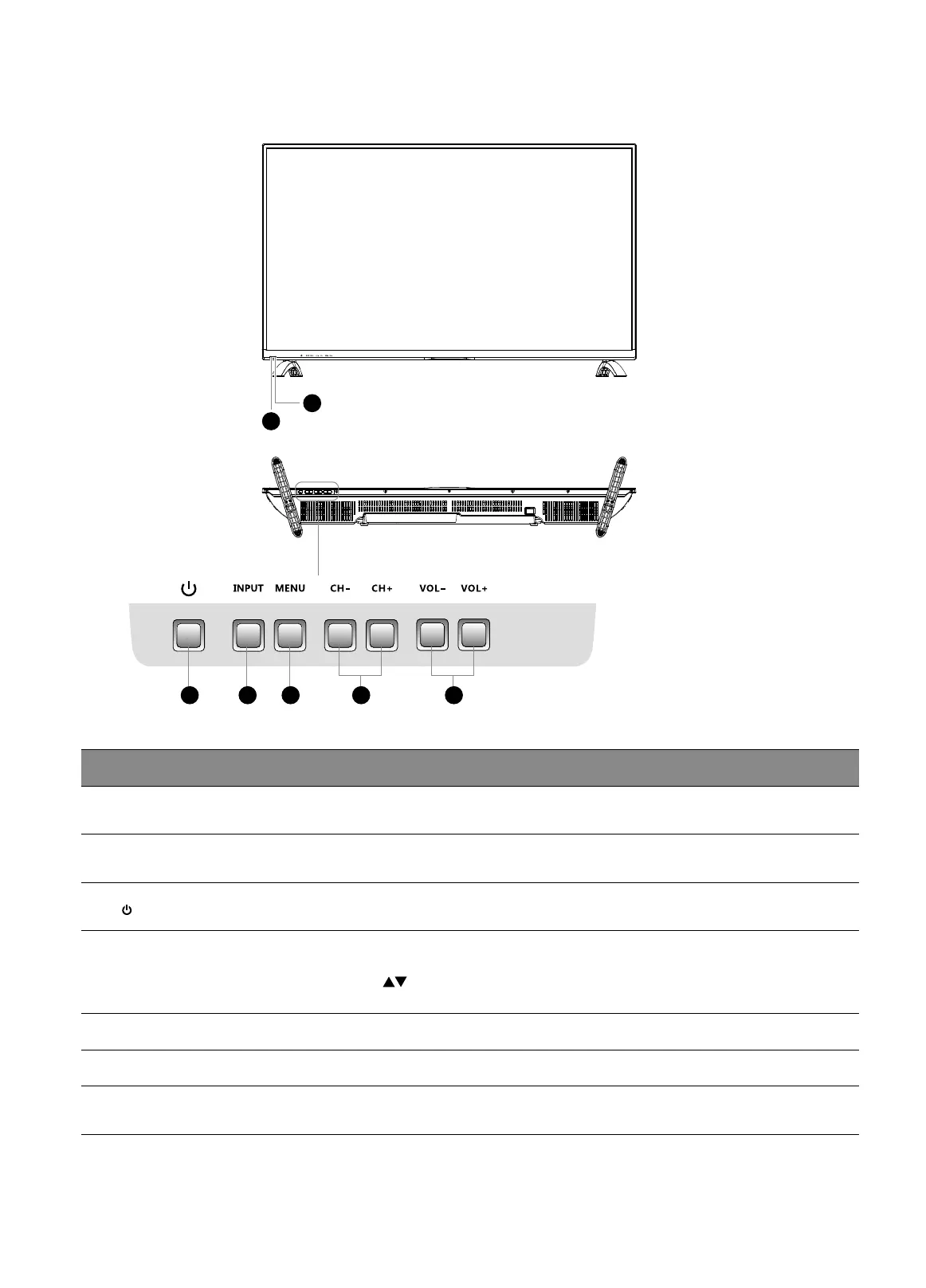
Front / Bottom View and Controls
Item Description
1 IR (Infrared Receiver)
Receives IR signals from the remote control.
Do not put anything near the sensor, as its function may be affected.
2 POWER LED
Illuminates blue when the TV is turned on. Illuminates red when the TV is in
standby mode.
3
Switches the TV on from standby mode.
Switches the TV back to standby mode.
4 INPUT
Press to select among different input signal sources:
DTV / ATV / AV / YPbPr / HDMI 1 / HDMI 2 / HDMI 3 / PC / USB.
Use the
buttons on the remote control to select the input, and then press the
OK button to confirm.
5 MENU Displays the OSD (on screen display) menu.
6 CH + / – Press to select a channel or select a sub-menu from the OSD menu.
7 VOL + / –
Adjusts the volume.
Press to select and adjust a setting in the OSD menu.
1
2
3 4 765



 To Next Page