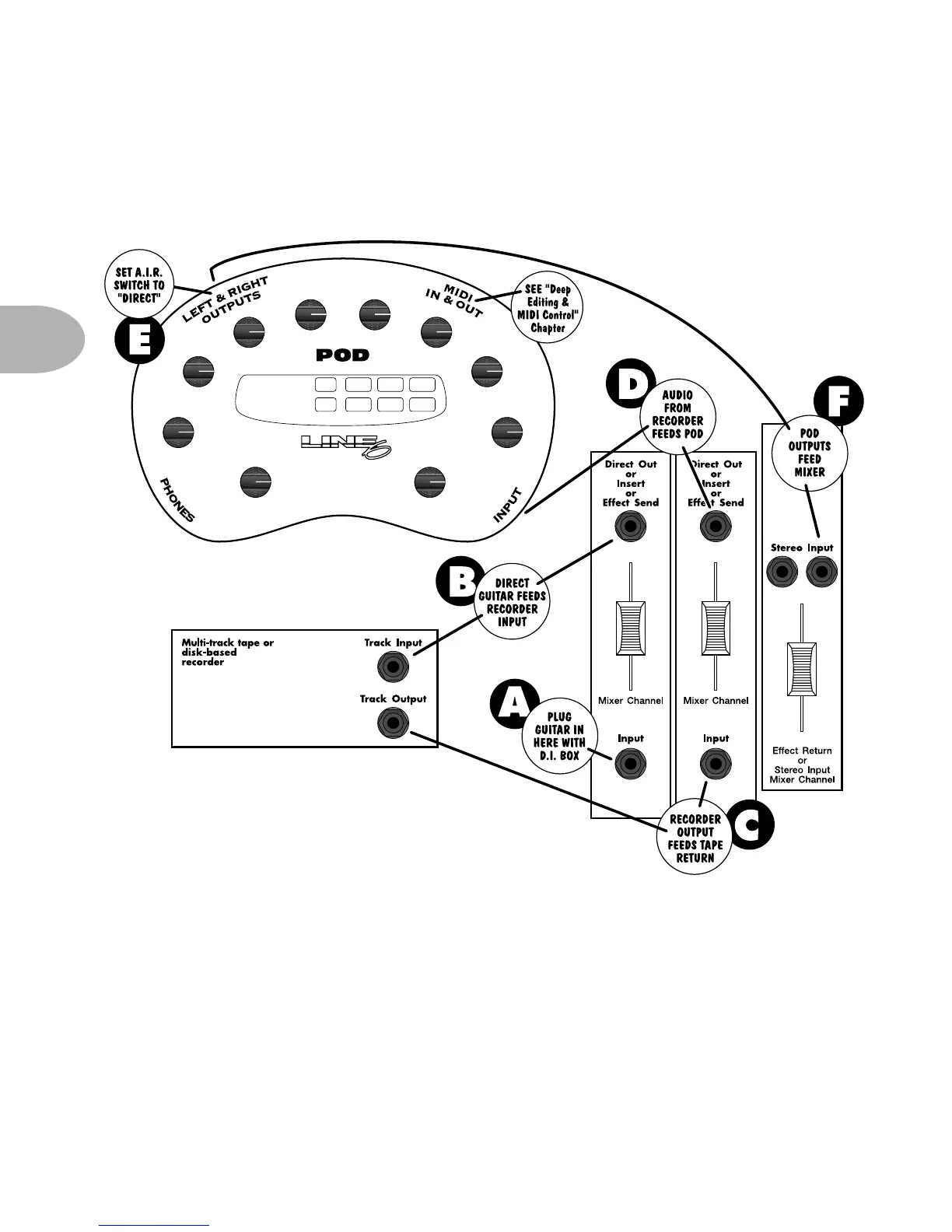
GETTING SET UP: SCENARIO ONE – IN THE STUDIO
3 • 6
Plug the guitar into your DI. Plug the DI into a mixer channel with a direct out.
Set the trim on your channel so your input levels look good. Plug the direct output
from the mixer channel into one of your recorder’s track inputs, and set the
recorder to monitor the input to that track. Connect the recorder’s track output to
another mixer channel input that has a direct output. Plug that direct output into
your POD’s input, and plug the POD outputs into one of your mixer’s stereo
Return To Sender Illustration
Hooking up POD to a mixer send/return



 To Next Page