27
( B L A N K D I S P L A Y )
U N I T S :
A R E Y O U S U R E ? 5
A C C E S S C O D E :
A C C E S S C O D E :
A C C E S S C O D E :
A C C E S S C O D E :
ALTERNATE PROGRAMMING METHOD
FUNCTION CODE LOCAL PROGRAMMING TELEPHONE PROGRAMMING
10
WELCOME DISPLAY
TEXT
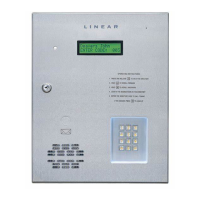
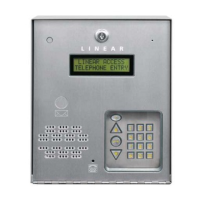
The AE-100 display will show
a visitor a welcome message
alternating with instructions on
how to fi nd and call a resident.
The welcome message can be
customized to suit the installation.
Step 1 Enter Function Code 10, then press #.
Step 2 Enter the new welcome message. A total of 32
characters are allowed. The display will advance
to the lower line after the 16th character is
entered on the upper line. Enter # after each
character, enter ## after the last character.
NOT AVAILABLE
30
COPY ACCESS
DATA ONLY FROM
MASTER TO
SUB-UNITS
To synchronize programming
in multi-unit installations, the
Directory Entries and Stand-alone
Entry Codes can copied from the
master unit to selected sub-units.
CAUTION: This utility
command will overwrite ALL the
access data in the sub-unit(s)
selected.
Step 1 Enter Function Code 30, then press #.
Step 2 Enter the number(s) (2, 3, and/or 4) of all the
sub-units to copy the data to, then press #.
Step 3 Enter 5 for verifi cation, then press #.
- OR -
Enter ✱ to cancel this command.
NOTE: Function Codes 7 and 8 must be programmed
before this command will operate.
Step 1 Enter Function Code 30 and
press #, one short beep sounds.
Step 2 Enter the number(s) (2, 3, and/or 4)
of all the sub-units to copy the data to,
then press #, one short beep sounds.
Step 3 Enter 5 for verifi cation, then press #,
two short beeps sound. (Any entry other
than 5# will cancel the command.)
NOTE: To allow for multi-unit network
communications, when executing this
command remotely over the telephone,
the system will disconnect your call
after Step #3 then copy the data from
the master unit to the sub-units.
31
ADD A
STAND-ALONE
ACCESS CODE
A Stand-alone Access Code is
a number entered at the AE-100
keypad to request access. Up to
125 4-digit Stand-alone Access
Codes can be set.
NOTE: Each Stand-alone Access
Code programmed reduces the
possible number of Directory
Entries by one.
Step 1 Enter Function Code 31, then press #.
Step 2 Enter the new 4-digit Stand-alone
Access Code, then press #.
Step 3 Enter the new 4-digit Stand-alone
Access Code again for verifi cation
Step 4 Press #.
Step 1 Enter Function Code 31 and
press #, one short beep sounds.
Step 2 Enter the new 4-digit Stand-alone Access
Code, press #, one short beep sounds.
Step 3 Enter the new 4-digit Stand-alone
Access Code again for verifi cation.
Step 4 Press #, two short beeps sound.
33
DELETE A
STAND-ALONE
ACCESS CODE
Deletes a single existing
Stand-alone Access Code.
Step 1 Enter Function Code 33, then press #.
Step 2 Enter the 4-digit Stand-alone Access
Code to delete, then press #.
Step 3 Enter the 4-digit Stand-alone Access
Code to delete again for verifi cation
Step 4 Press #.
Step 1 Enter Function Code 33 and
press #, one short beep sounds.
Step 2 Enter the 4-digit Stand-alone Access Code
to delete, press #, one short beep sounds.
Step 3 Enter the 4-digit Stand-alone Access
Code to delete again for verifi cation.
Step 4 Press #, two short beeps sound.


 To Next Page