Need help?
Do you have a question about the Linear DMC1 and is the answer not in the manual?
Details the three major components of the dmc1 system: Master Station, Room/Patio Stations, and Door Stations.
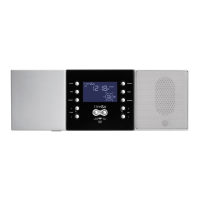
Describes the Master Station's role in controlling intercom and music capabilities and its internal switches.
Explains the functions and capabilities of Room and Patio Stations, supporting up to 15 stations.
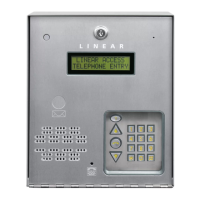
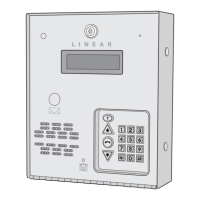
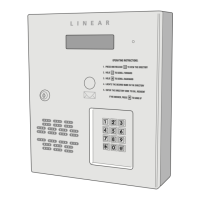
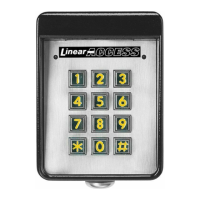
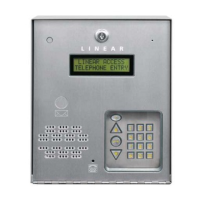
Describes the exterior Door Station, its purpose, and compatibility with the dmc1 system for up to three units.
Outlines general system options configurable at the Master Station, including display, clock, scan mode, and audio.
Details how to adjust the Master Station's display brightness to three levels using specific buttons.
Explains how to set the time display and music auto on/off functions for the system.
Defines two scan modes (Scan Mode 1 and Scan Mode 2) that determine system behavior when scanning stations.
Describes how to automatically turn system music on and off at preset times.
Details how to adjust system music volume, treble, bass, loudness, and intercom volume.
Details how to adjust the system's music volume from 0-29.
Instructions for adjusting the system's high-frequency (treble) and low-frequency (bass) audio levels.
How to turn the loudness feature on or off for better low-level audio listening.
How to adjust the volume for intercom communications to remote stations.
Explains that station mode switches on the Master Station determine system operation and can be adjusted.
Describes the operational characteristics for Intercom, Radio/Intercom, Off, and Monitor station modes.
Explains intercom operation depends on Station Mode switches and details intercom talk and listen functions.
How to initiate and conduct conversations with other stations using the TALK and LISTEN buttons.
How to monitor rooms, allowing RADIO/INT stations to hear stations set to MONITOR.
How to temporarily override the Monitor function to communicate with MONITOR stations.
Explains the PRIVACY button's function to prevent listening or monitoring of a station.
Details how door stations announce visitors and how conversations can be managed.
How to use the Master Station or Room/Patio Station to talk to and listen from Door Stations.
Describes the optional feature for controlling door release, lights, or alarms.
Covers Room and Patio Station functions like volume, listening, talking, privacy, and door operations.
How to adjust station volume, intercom listen/talk, privacy, and door operations from Room/Patio stations.
Overview of Master Station controls for operating music functions like source selection, tuning, and presets.
How to tune FM/AM radio stations and set up to eight presets for each band.
Details Room and Patio Station controls for music source selection and volume adjustment.
Describes the optional iPlay Dock for iPod and MP3 players, supporting music from four device types.
How to play CDs, including different playback modes and controls for standard CDs.
Information about the optional 6-Disc CD Player, its cartridge, and playing CDs with its controls.
Lists compatible iPod and iPhone models supported by the DMC1 iPlay Dock.
Details the terms, conditions, and exclusions of the 2-year limited warranty for the product.
 General
| Channels | 1 |
|---|---|
| Communication Type | Wired |
| Audio Frequency Response | 300Hz - 3.4kHz |
| Material | Plastic |
| Power Supply | External Power Supply |
| Wiring | 4-wire |
| Operating Temperature | 0°C to 50°C |
| Mounting Type | Surface Mount |

 To Next Page