Speech-Generating Device User Guide | 22
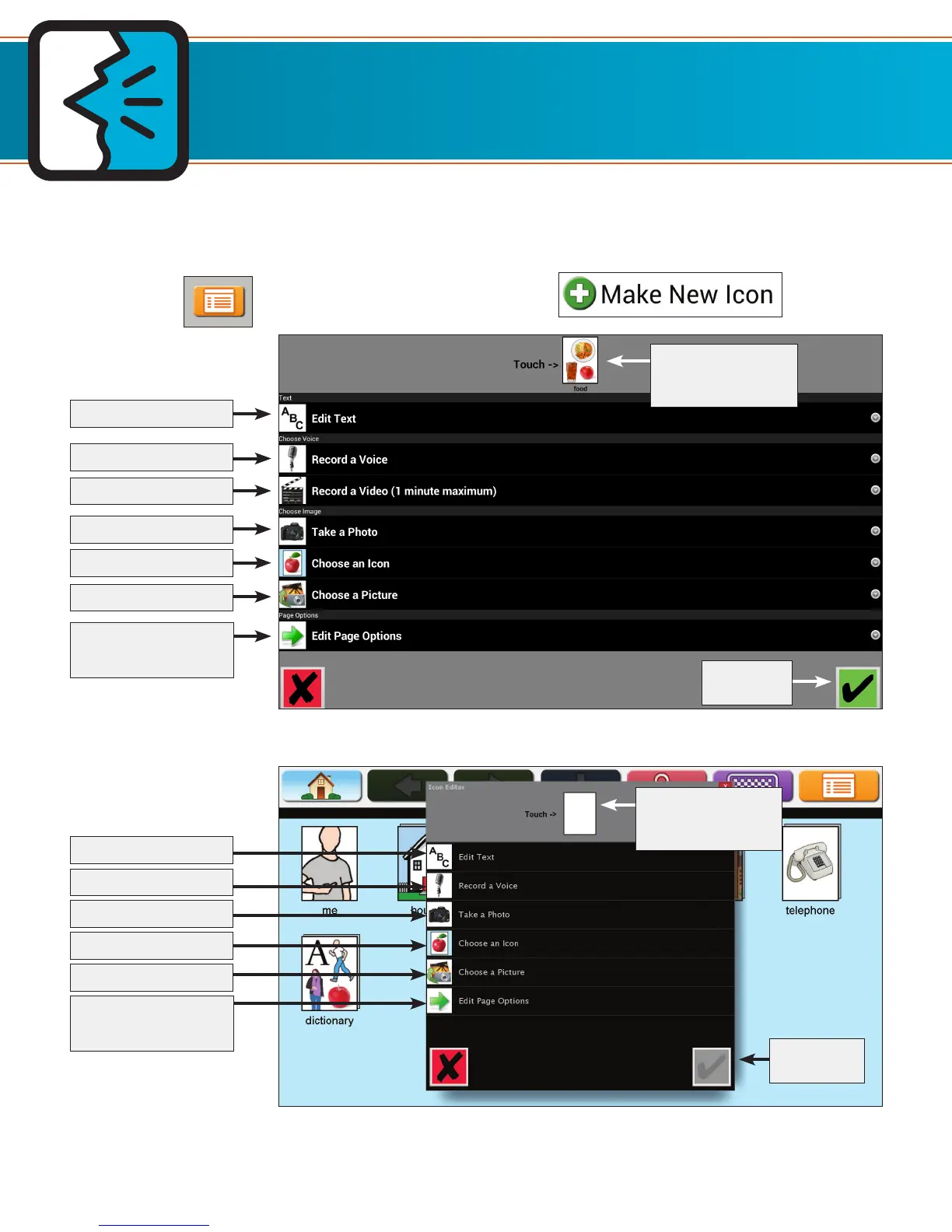
The Icon Editor is where you assign a name, image, and voice to an icon, and add or remove pages behind an
icon. You can always go back and change these settings later.
1. Touch Menu. 2. Touch Make New Icon.
Making New Icons and Pages
Required
Required
TouchTalk and MiniTalk
AllTalk
Touch the icon to
make it speak
Touch the icon to
make it speak
Edit text (Required)
Edit text (Required)
Record a voice
Record a voice
Choose an image
Choose an image
Choose an icon
Choose an icon
Take a Photo
Take a Photo
Record a video
Add or remove page
behind the icon
Add or remove page
behind the icon


 To Next Page