Speech-Generating Device User Guide | 38
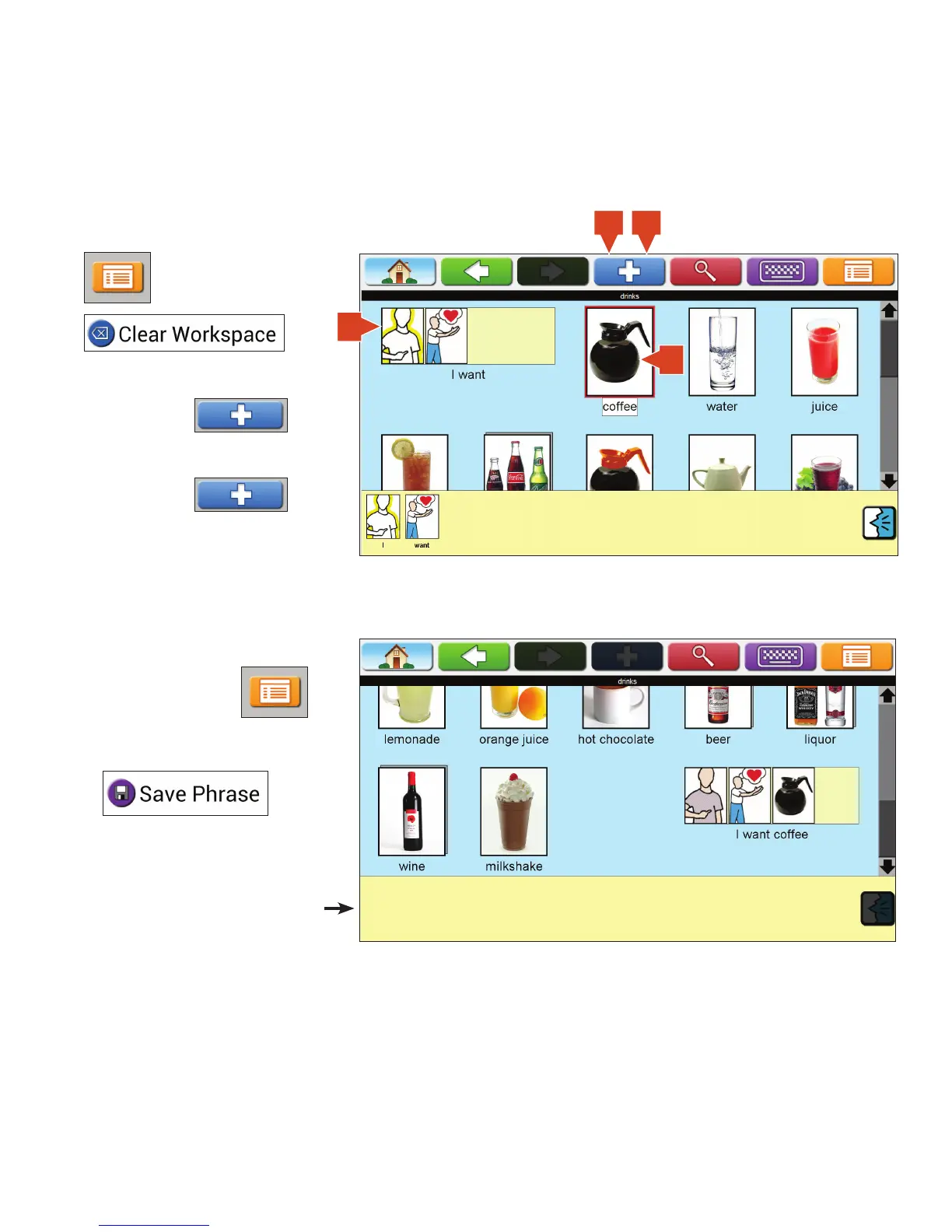
5. To save the phrase to the current
page, touch Menu.
6. Touch Save Phrase.
The Workspace will look like this.
Creating Phrase Icons Without Typing on AllTalk
If the Workspace is not empty, clear it by touching Menu,
then Clear Workspace.
1. Touch phrase strip.
2. Select Plus.
3. Touch icon to be added to phrase.
4. Select Plus.
1
42
3


 To Next Page