Speech-Generating Device User Guide | 37
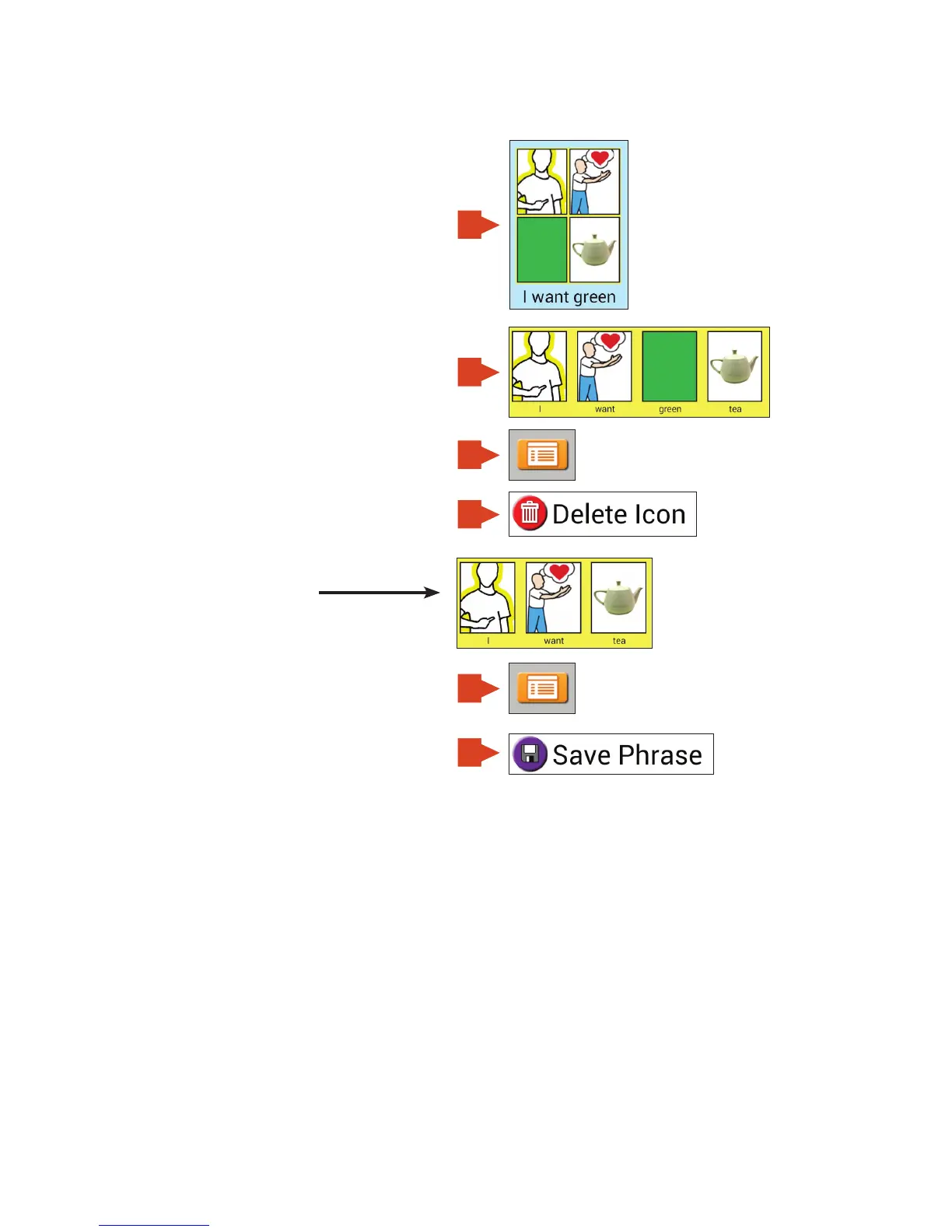
Deleting an icon from a phrase icon
With the auto add icons to workspace enabled
you can easily move phrase icons into the
Workspace. Note, in order to do this, the
Workspace must be showing.
1. Touch the phrase icon.
2. Touch the icon from the phrase that
you wish to delete.
3. Touch Menu.
4. Touch Delete Icon.
The new phrase looks like this.
5. Save new phrase to current page
by touching Menu.
6. Touch Save Phrase.
1
5
3
2
6
4


 To Next Page