56 57
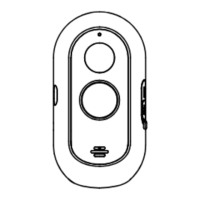
Adhesive tape
USB cable
Bracket
Power adapter
Protective strip
Adhesive tape
USB cable
Bracket
Power adapter
Protective strip
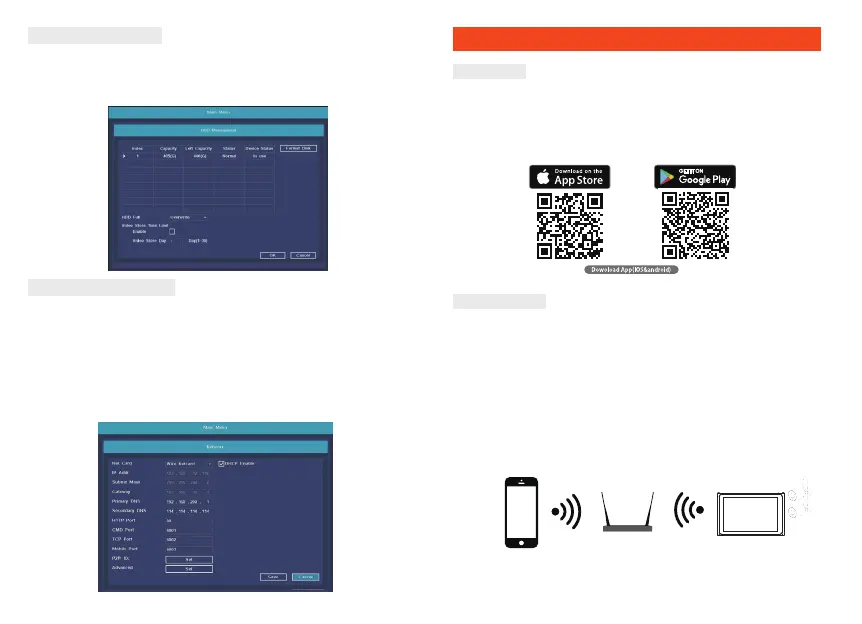
Format the hard disk
1. Right click to login and enter “Main menu→System→HDD manager”.
2. Then click “Format Disk” button .
3. The hard disk status would turn on “in use”.
1HWZRUNFRQƬJXUDWLRQ
1. Conform network cable is connected to LAN correctly for access
the internet.
2. Enter into”Main menu→System→1HWZRUN&RQƬJqPHQX
3. Select“DHCP”, and click “save” button, it”ll request IP address from
the DHCP server automatically.
7KHFRQƬJXUDWLRQLV6XFHVVIXOLIWKH,3DGGUHVVLVQRW$IWHU
refresh. Otherwise, please set the IP address and gateway information
Manually.
Download
Set up router
This device supports 2.4GHz frequency's only. It does not support 5GHz.
Most household routers are dual band and so you should not need to
change your routers settings. If however you do not have a dual band
router please select an appropriate 2.4GHz network before WiFi
FRQƬJXUDWLRQ:KHQ\RXVHWXS\RXUGHYLFHHQVXUH\RXUPRELOHGHYLFH
router and Link2Home device are as close as possible. You can move
the device after set up.
Link2Home Pro is available for both iOS and Android OS. Search the
name 'Link2Home Pro'in the App Store or Android Market, or scan
the QR code below to download the App.
Connect
Please keep network available


 To Next Page