960-3100-00 iPonic 614 Installation Manual 13
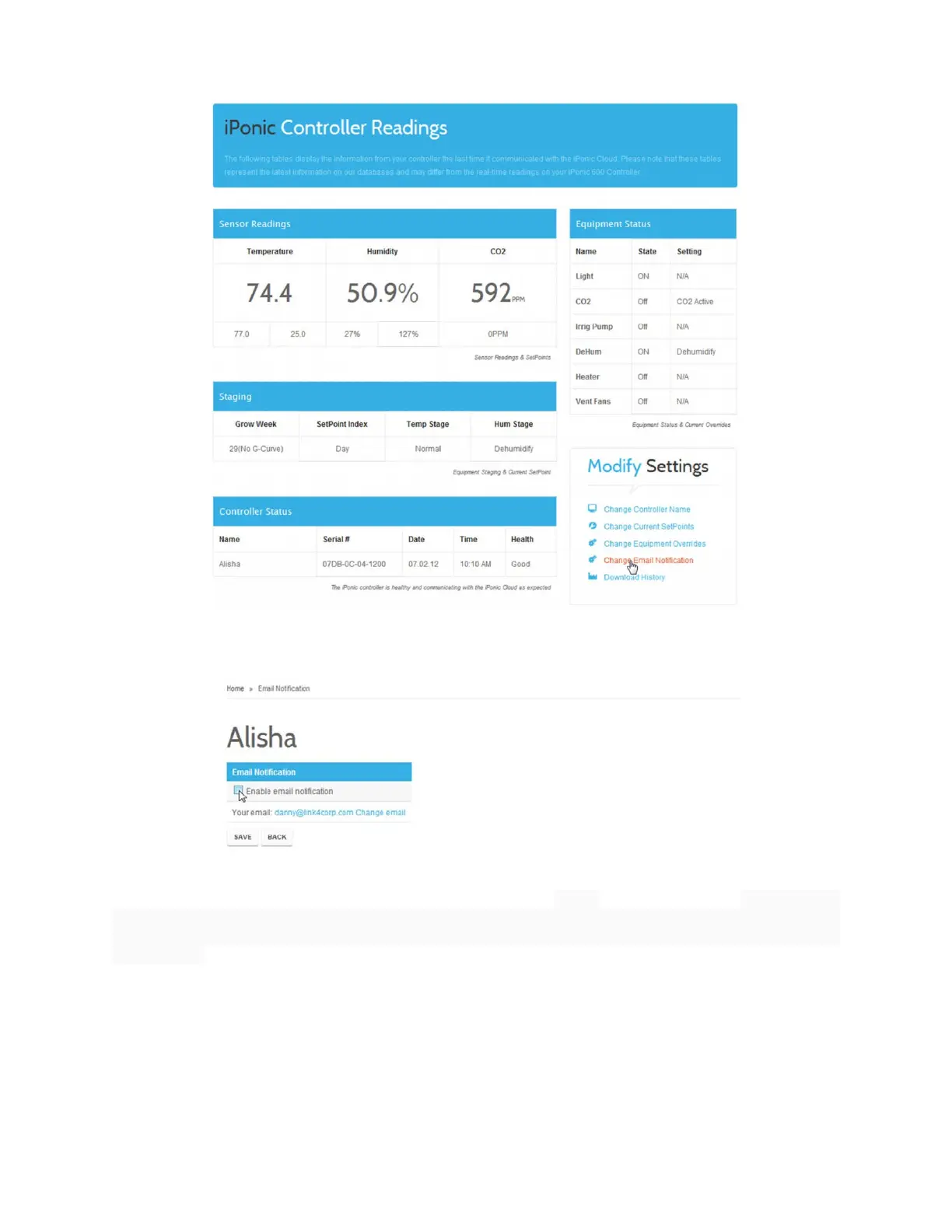
On the controller status page select “Change Email Notification.”
On the email notification screen, check the box labeled “Enable email notification.”
From this screen, you can also change your email address to the one that is most convenient for
receiving alarm notifications, including your cellular phone. Most cell phone providers have SMS
gateways which take email messages from the Internet and deliver them to their customers’ cell
phones as SMS text messages. Every provider assigns a unique domain for their customers’
address so check with your provider to identify your cell phone’s email address.
Alarm Output
An alarm output such as a Sensaphone can be hardwired into one or both additional relays on the controller’s
printed circuit board. It is used to notify the user via telephone, cell phone, or pager whenever the sensors reach
the user programmed temperature alarm limits. Refer to the Advanced section of this manual for more
information on hard wiring additional equipment including a Sensaphone.


 To Next Page