
 Need help?
Do you have a question about the Link4 iPonic 614 and is the answer not in the manual?
Link4's customer support staff and contact methods.
Contact details for Link4 Corporation including address, phone, fax, and website.
Procedures and conditions for returning merchandise and obtaining repair services.
Covers additional costs and governing law for the contract.
Verifying package contents and detailed steps for securely installing the iPonic™ 614 unit.
Connecting the sensor module and establishing internet connectivity for the controller.
Registering the controller and linking it to the Link4 cloud account.
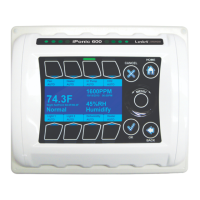
Explanation of the controller's main display, showing current readings and statuses.
Describes the interface and how to choose/configure connected equipment.
Information on the controller's electrical outlets, fuse, and power cord specifications.
Default equipment mapping, time setpoints, and environmental settings.
Steps to adjust the start times for the day and night setpoints.
Connecting, configuring, and adjusting lighting equipment and its timings.
Setting up CO2 source and adjusting desired CO2 concentration levels.
Connecting and configuring heater, ventilation fans, and air conditioner equipment.
Setting cooling/heating targets, changing units, and adjusting setpoints.
Connecting equipment and setting humidifying/dehumidifying targets.
Connecting the pump and configuring irrigation start/end times and durations.
How the controller monitors alarms and its pre-programmed threshold values.
Modifying thresholds and setting up cloud-based text/email notifications.
Configuring external alarm outputs like Sensaphone.
Using the Growth Schedule to manage settings across different crop growth phases.
Enabling, setting duration, start weeks, and saving/restoring the growth schedule.
Creating additional time setpoints and programming one-time/daily overrides.
Decoupling light timing and enabling light banks not controlled by the unit.
Adjusting the delay before lights turn on after power restoration.
Programming multiple cooling/heating stages and enabling additional stages.
Using ramp times for smooth transitions and controlling ventilation fans.
Selecting source, adjusting tank cycles, and setting CO2 deadband.
Explaining and configuring the "Fan Cut Off" feature for CO2 control.
Enabling CO2 shutoff based on light levels and adjusting thresholds.
Enabling Fuzzy Logic, configuring settings, and setting the cycle period.
Activating the CO2 night setpoint and adjusting targets.
Adjusting override settings, deadbands, and configuring humidity stages.
Setting irrigation times/durations and managing single irrigation events.
Enabling/disabling sensors, wiring low voltage outputs, and programming equipment types.
Detailed steps for wiring and programming HVAC systems.
Configuring multiple equipment of same type, controlling lighting, and adding alarm outputs.
Instructions for wiring a Sensaphone alarm system to the controller.
Updating firmware, setting passwords, and managing controller configurations.
Adjusting display, clearing history, and restoring factory defaults.
Setting date/time, rerunning wizard, and viewing sensor reports.
Monitoring sensor data, mapping sensors, and calibrating individual sensors.
Formatting file system and saving log files to USB.
Templates for planning temperature, humidity, and CO2 control settings.
A template for planning irrigation cycles and trigger events.
 General
| Brand | Link4 |
|---|---|
| Model | iPonic 614 |
| Category | Controller |
| Language | English |

 To Next Page
