EasyManua.ls Logo

Linksys AX5400 - User Manual

Linksys AX5400
30 pages
Print Icon
To Next Page IconTo Next Page
Loading...
0
USER GUIDE
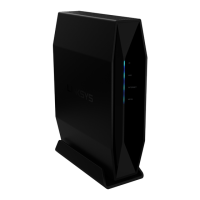
AX5400
DUAL-BAND
WiFi 6 ROUTER
Model E9450 APAC

Questions and Answers

  • J
    Joanne BaileyAug 8, 2025
    What to do if my Linksys AX5400 says internet cable is not plugged in?
    • B
      bproctorAug 8, 2025
      If your Linksys Wireless Router indicates that your internet cable is not plugged in, first, ensure an ethernet or internet cable is securely connected to the yellow Internet port on the back of the router and to the appropriate port on your modem. Also, make sure your modem is connected to power and turned on. If you have cable internet, verify the cable modem's CABLE port is connected to the coaxial cable from your ISP. For DSL, ensure the DSL phone line is connected to the modem’s DSL port. If your computer was previously connected to your modem with a USB cable, disconnect it. If the issue persists, reinstall the router.
  • A
    April WilliamsAug 23, 2025
    How to fix Linksys AX5400 Wireless Router that was not successfully set up?
    • O
      oklineAug 23, 2025
      If your Linksys Wireless Router was not successfully set up, press and hold the Reset button on the router with a paperclip or pin until the power light turns off and starts blinking (about 10 seconds). Then, type 192.168.79.1 in a browser to try the setup again. You may also temporarily disable your computer’s firewall and try installing the router again. If the issue persists, try using another computer to install the router.

Summary

Product Overview

Basic Setup and Support

Router Installation Guide

Step-by-step instructions for connecting and setting up the router.

Advanced Configuration

Accessing the Web Utility

Instructions for accessing the router's browser-based utility for advanced settings.

General Settings

Internet Setup

Configure the router's internet connection profile.

Wireless Settings

Wireless Security Options

Configure security settings for WiFi LAN interfaces.

Advanced Setup

LAN IP and DHCP Configuration

Change LAN IP address and DHCP settings.

Management Options

Access Control and Passwords

Change administrative username and password for security.

Firmware Upgrade Process

Update router firmware for features and fixes.

Troubleshooting Common Issues

Setup Failure Resolution

Steps to resolve issues when router setup fails.

Linksys AX5400 Specifications

General IconGeneral
Wi-Fi StandardWi-Fi 6 (802.11ax)
Maximum Data Rate5400 Mbps
MU-MIMOYes
BeamformingYes
USB Ports1 x USB 3.0
OFDMAYes
Frequency Bands2.4 GHz, 5 GHz
Ethernet Ports1 x Gigabit WAN, 4 x Gigabit LAN
SecurityWPA3
Number of Antennas4 external adjustable antennas

Videos

How to Set Up Linksys AX5400 WiFi 6 EasyMesh Router: Step-by-Step Guide

How to Reset Linksys Dual-Band AX5400 WiFi 6 EasyMesh Router

Related product manuals