
 Need help?
Do you have a question about the Linksys Cover MAX-STREAM AC2600 and is the answer not in the manual?
Setup guide for users with a separate modem and standalone router, requiring disconnection of the old router.
Setup guide for users with an integrated modem-router, which remains connected.
Provides troubleshooting advice, including checking broadband connection and restarting devices.
Instructions for manual setup via an Ethernet connection and web browser access.
Contact information for internet support, Twitter, and phone assistance.
This document is a Quick Start Guide for the Linksys Max-Stream AC2600 MU-MIMO Dual-Band Router, model EA8100. It provides essential steps to set up and configure the router for internet access.
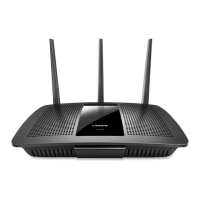
The Linksys Max-Stream AC2600 MU-MIMO Dual-Band Router is designed to provide high-speed wireless internet connectivity for your home or office. As a dual-band router, it operates on two distinct frequency bands (2.4 GHz and 5 GHz) simultaneously, allowing for greater flexibility and reduced interference, especially in environments with many wireless devices. The "AC2600" designation indicates its maximum theoretical combined speed across both bands, offering robust performance for demanding tasks such as streaming 4K video, online gaming, and connecting multiple devices.
The "MU-MIMO" (Multi-User, Multiple-Input, Multiple-Output) technology is a key feature that enhances the router's efficiency. Traditional routers typically serve one device at a time, even if they switch between devices very quickly. MU-MIMO allows the router to communicate with multiple compatible devices simultaneously. This significantly improves network performance and efficiency, particularly in households with numerous Wi-Fi-enabled devices, as it reduces buffering and lag for all connected users. This means that if you have several smartphones, tablets, smart TVs, and laptops all accessing the internet at once, the MU-MIMO router can handle these connections more effectively, ensuring a smoother experience for everyone.
The router acts as a central hub for your home network, connecting to your internet service provider's modem and then distributing the internet signal wirelessly to your devices. It creates a secure wireless network (Wi-Fi) that your devices can join using a password. Beyond wireless connectivity, the router also includes Ethernet ports for wired connections, which are ideal for devices that require the most stable and fastest connection, such as desktop computers, gaming consoles, or network-attached storage (NAS) devices.
The setup process for the Linksys Max-Stream AC2600 router is designed to be straightforward, guiding users through a few key steps to get their network up and running.
Equipment Identification: The first step involves identifying your existing internet setup. The guide presents two common scenarios:
Physical Setup:
Initial Power-On and Status Indicator: Once powered on, the router's Linksys logo will illuminate. You are instructed to wait until this logo turns solid white. A solid white light typically indicates that the router has successfully booted up and is ready for configuration.
Connecting to the Router's Wi-Fi: To proceed with the setup, you need to connect a computer or mobile device to the router's initial Wi-Fi network. The router comes with a sticker that displays the default Wi-Fi name (SSID) and password. You should use these credentials to connect your device to the router's wireless network. The guide also suggests selecting the option to automatically connect to this network in the future, which can be convenient. It's important to note that at this stage, you will not have internet access yet, as the router still needs to be fully configured.
Web-Based Setup: The primary method for configuring the router is through a web browser.
http://LinksysSmartWiFi.com.192.168.1.1 into the browser's address bar.The guide also provides helpful tips for troubleshooting and ongoing maintenance, ensuring a smooth and reliable internet experience.
Recording Router Settings: After completing the setup, you are strongly advised to record your router's settings. A dedicated section is provided for this purpose, including:
Troubleshooting Tips for Successful Setup:
www.linksys.com/support/EA8100. This online resource likely contains FAQs, detailed guides, and firmware updates."Do-It-Yourself" Mood (Advanced Troubleshooting/Configuration): For users who prefer a more direct approach or need to access advanced settings, the guide offers an alternative method:
192.168.1.1 in a web browser. This is the router's default IP address, which provides direct access to its administration interface.Getting Help (Support Channels): Linksys provides multiple channels for customer support:
www.linksys.com/support/EA8100.@LinksysCares. This offers a public and often quick way to get support.800-326-7114. This complimentary support is available during the warranty period, ensuring that users can get direct assistance from Linksys representatives if needed.In summary, the Linksys Max-Stream AC2600 MU-MIMO Dual-Band Router (EA8100) is a powerful networking device designed for modern homes with multiple connected devices. Its MU-MIMO technology ensures efficient data distribution, while the dual-band operation provides flexibility and performance. The Quick Start Guide emphasizes a user-friendly setup process, clear instructions for physical connections, and web-based configuration. Furthermore, it includes essential tips for recording settings, basic troubleshooting, and access to various support channels, making it a comprehensive guide for both initial setup and ongoing maintenance.
 General
| Wi-Fi Technology | 802.11ac |
|---|---|
| Wi-Fi Speed | AC2600 (800 Mbps on 2.4 GHz + 1733 Mbps on 5 GHz) |
| MU-MIMO | Yes |
| Beamforming | Yes |
| Wi-Fi Bands | 2.4 GHz and 5 GHz |
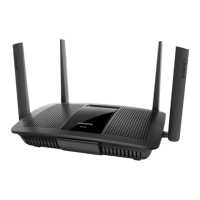
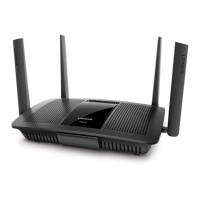
| Antennas | 4 external antennas |
| Ethernet Ports | 4 x Gigabit Ethernet ports, 1 x Gigabit WAN port |
| USB Ports | 1 x USB 3.0 |
| Processor | Dual-core processor |
| Security | WPA2, WPA |
| Memory | 128MB Flash |


 To Next Page