EtherFast
®
Cable/DSL Firewall Router with 4-Port Switch/VPN Endpoint
109
Instant Broadband
®
Series
108
Tunnel 2: router->win
9. In the screen, shown in
Figure C-18, make sure
that “win -> router” is
select and deselect the
Use Add Wizard
check box. Then, click
the Add button to cre-
ate the second IP filter.
10. Go to the IP Filter List
tab, and click the filter
list router->win, as
shown in Figure C-19
Figure C-18
Figure C-19
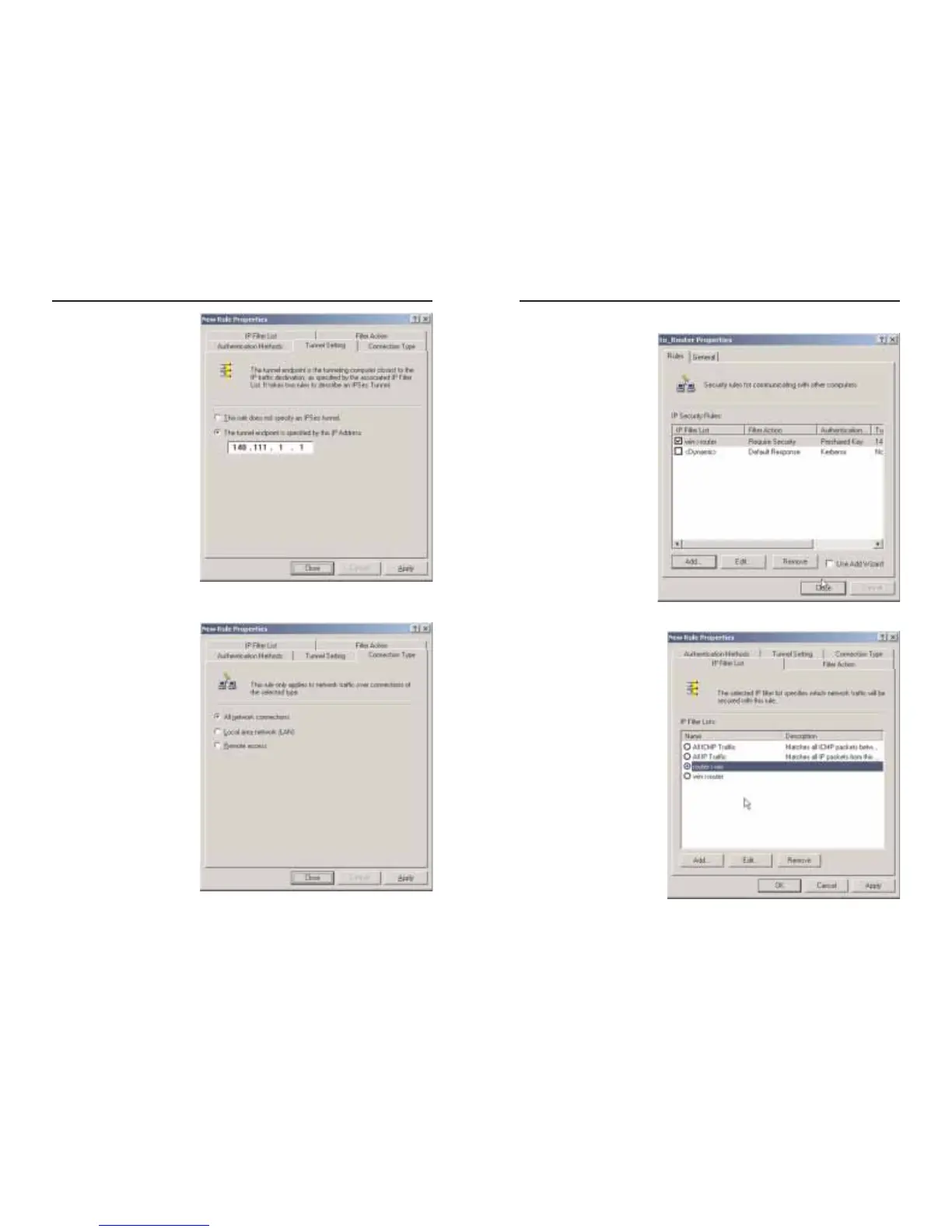
7. Select the Tunnel
Setting tab, shown in
Figure C-16, and click
The tunnel endpoint is
specified by this IP
Address radio button.
Then, enter the Router’s
WANIPAddress.
8. Select the Connection
Type tab, as shown in
Figure C-17, and click
All network connec-
tions. Then, click the OK
or Close button to finish
this rule.
Figure C-16
Figure C-17






 To Next Page