VIDEO SIZE SETTING
- Press the ASPECT button on the remote control repeatedly to select the VIDEO SIZE
directly.
Available options: Auto, 4:3, 16:9, Zoom1, Zoom2.
NOTE: The available video size may be different for different input sources.
MULTIAUDIO SETTING
- Press the AUDIO button on the remote control repeatedly to select the desired audio
language.
NOTE: To enable this function, make sure that the channel you are viewing supports
multi-audio languages.
INFORMATION DISPLAY
- Press the INFO button on the remote control to display information of current programs.
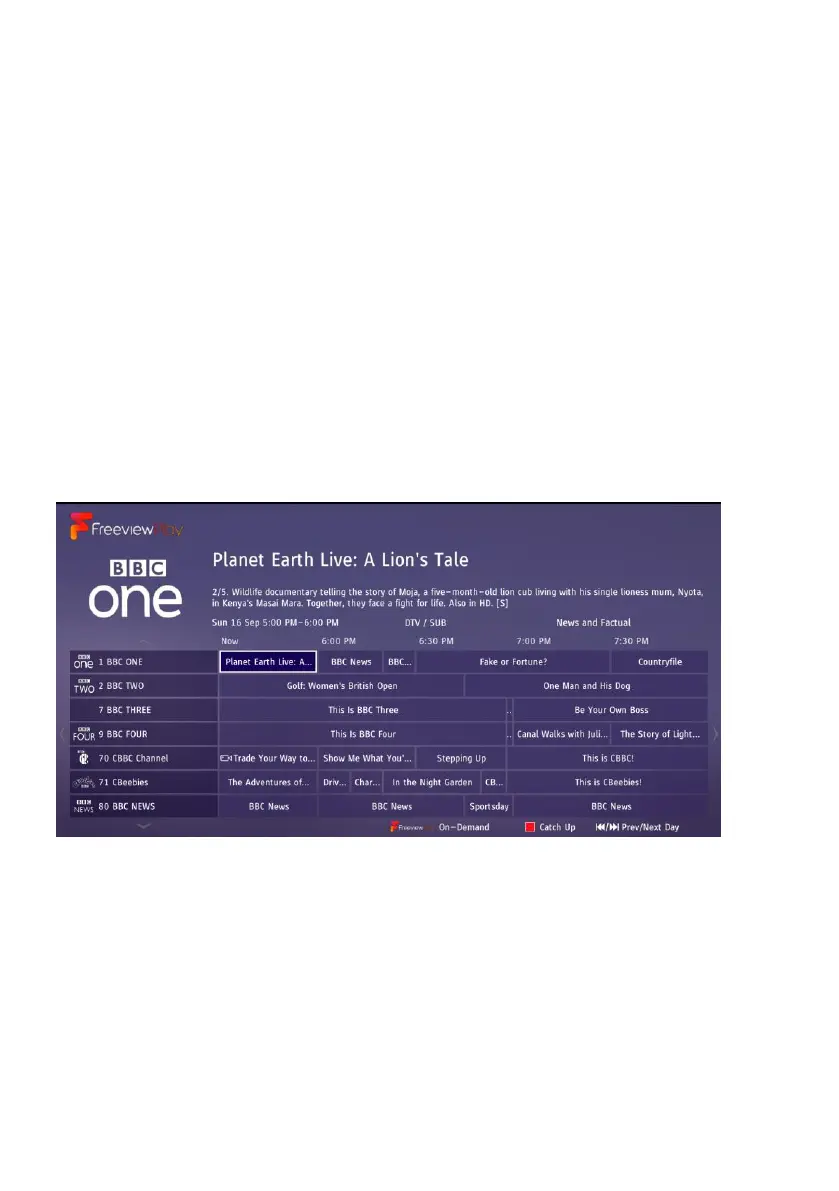
TV GUIDE (FOR DTV MODE ONLY)
- Press the GUIDE button on the remote control to display the programme guide.
- Press the UP/DOWN navigation button to select a preferred program
- Press the LEFT/RIGHT navigation button to switch between the left column and right
column.
When a program is highlighted on the right column, press OK button to open a menu:
- Press the UP/DOWN button to select an option.
- Press REC button to schedule a recording for the selected program.
- Press RED button to schedule a reminder for the selected program.



 To Next Page