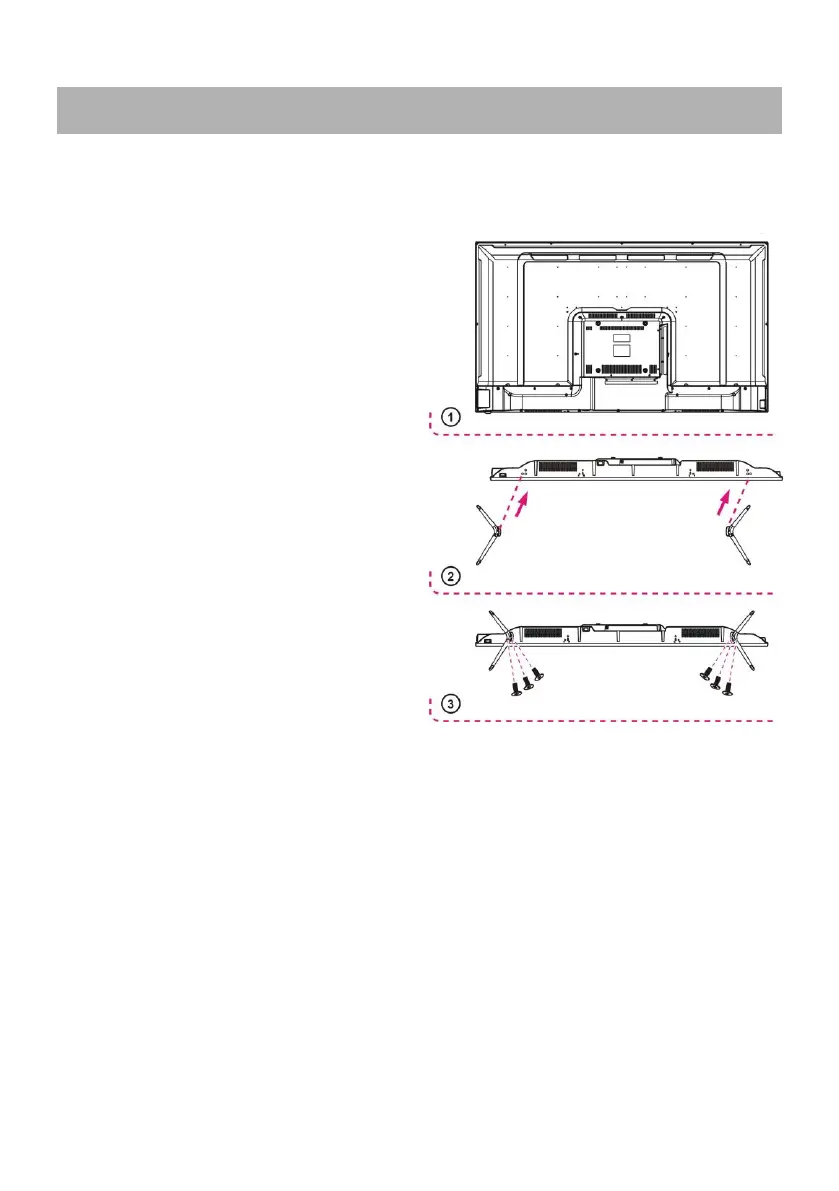
Your TV is packaged with the Stand and the Cabinet separated. Before enjoying this TV,
please carry out the Stand Installation according to the instructions below.
Step 1
Place the TV faced down on a soft cloth or
cushion to prevent the panel from being
damaged.
Step 2
Align the stand and TV bottom and then
force the end of stand until the TV is fully
seated on the stand.
Step 3
Tighten the included screws with a screw
driver.
* Caution:
- Unplug the power plug first when installing
or removing the TV Stand.
- To avoid any damage to this TV, contact
one or more partner for assistance when
installing or removing the TV stand.



 To Next Page