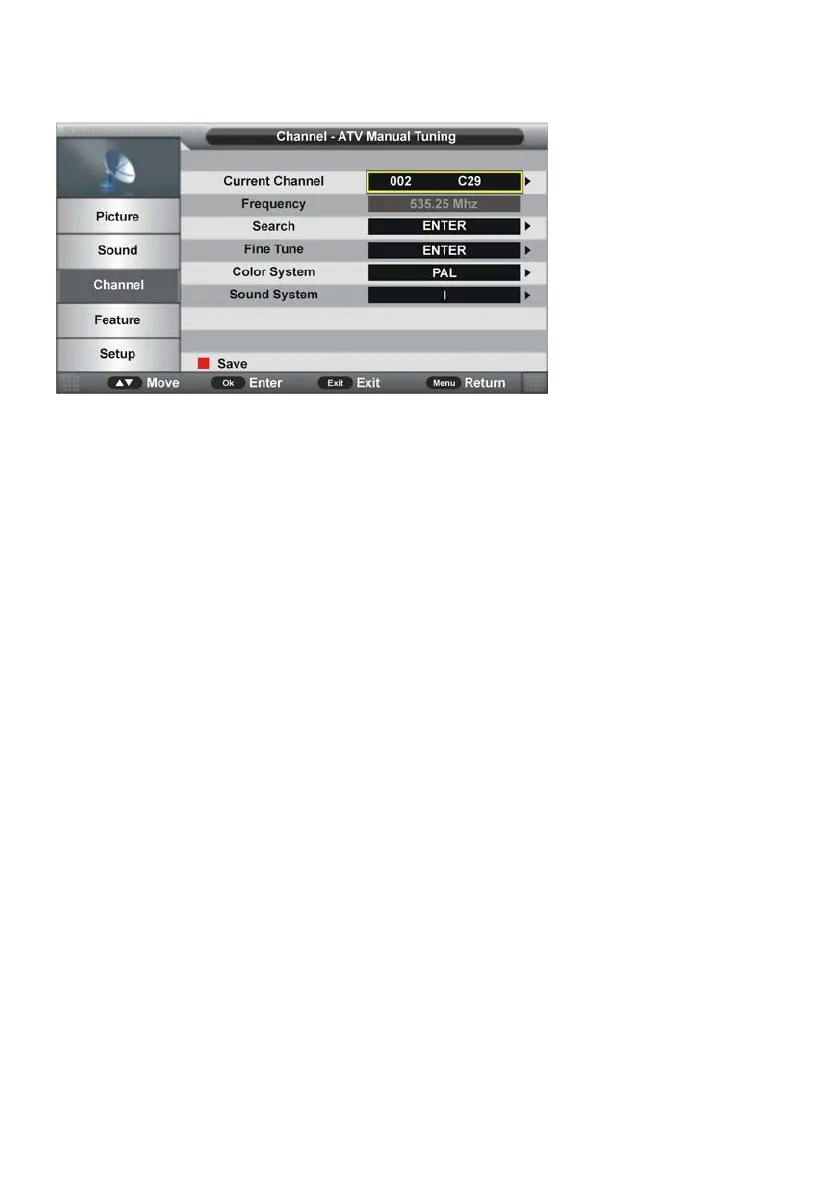
3.6 ATV Manual Search (for ATV input source only)
3.61 Current Channel
- Press OK or RIGHT navigation button to enter submenu and press UP/DOWN navigation
button to select preferred program.
3.62 Frequency
This item is not user adjustable.
3.63 Search
This item is used to start searching.
3.64 Fine Tune
- Press OK or RIGHT navigation button to enter submenu and press LEFT/RIGHT
navigation button to fine tune it.
3.65 Color System
- Press OK or RIGHT navigation button to enter submenu and press UP/DOWN navigation
button to select preferred color system.
Available options: Auto, PAL, SECAM.
3.66 Sound System
- Press OK or RIGHT navigation button to enter submenu and press UP/DOWN navigation
button to select preferred sound system.
Available options: BG, DK, I, L, L’.
NOTE: The Sound System options may vary due to different Color System settings.
3.7 LCN On/Off
This item is used to turn on/off LCN (Logic Channel Number).
NOTE: This item may not be adjustable if your country doesn’t support LCN.



 To Next Page