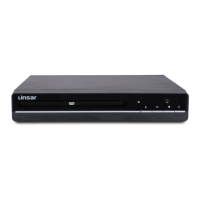
The Linsar 5.1 Channel DVD Player, Model LS51 DVD, is a home entertainment device designed for playing DVDs, VCDs, and CDs. It offers a comprehensive set of features for an immersive audio-visual experience, including 5.1 channel audio output for surround sound. The device is accompanied by a user manual, remote control, AAA batteries, AC adaptor, AV cable, warranty certificate, and general safety warnings, ensuring a complete package for immediate use.
Function Description
The primary function of the Linsar LS51 DVD player is to play various disc formats, including DVD, CD, CD-R, CD-RW, DVD+R, DVD+RW, and JPEG. It supports both NTSC and PAL color systems, making it compatible with a wide range of televisions. The player offers multiple output options for connecting to a TV or amplifier, including HDMI for high-quality digital video and audio, CVBS for standard definition video, and dedicated 5.1 channel audio outputs for surround sound systems.
Usage Features
Basic Operation:
- Power On/Off: The unit can be powered on or put into standby mode using the Power button on the unit or the STANDBY button on the remote control. The power indicator turns green when on and red when in standby.
- Disc Loading: The disc tray can be opened and closed using the OPEN/CLOSE button on the unit or the remote. Discs should be placed on the tray with the label side facing up. Playback typically starts automatically once the tray is closed.
- Playback Control:
- Play/Pause: The PLAY/PAUSE button (►II) on the unit or remote allows users to start, pause, and resume playback.
- Stop: The STOP button (■) stops playback. Pressing it once remembers the last stopped point, allowing playback to resume from there. Pressing it twice stops playback completely, and the disc will start from the beginning if played again.
- Fast Search: The fast-search buttons (◄◄ / ►►) allow users to quickly scan backward or forward through the disc.
- Skip: The skip buttons (K / ►►I) navigate to the previous or next chapter or track.
- Volume Control: The VOLUME +/- buttons on the remote adjust the audio level.
- Mute: The MUTE button (X) on the remote temporarily silences the sound and restores it when pressed again.
Advanced Playback Features:
- Repeat Playback: The REPEAT button allows users to repeat a chapter, title, or the entire disc for DVDs. For CDs, it can repeat a single track or the entire disc. This function can be cycled through different repeat modes (CHAPTER, TITLE, REP ALL, OFF) for DVDs and (REP 1, REP ALL, OFF) for CDs.
- Slow Playback: The SLOW button enables playback at a reduced speed.
- OSD (On-Screen Display): The OSD button displays or hides detailed information about the currently playing media.
- Subtitle Control: The SUBTITLE button toggles subtitles on or off.
- Step Frame: The STEP button freezes the current frame and can be pressed repeatedly to advance frame by frame.
- Angle Viewing: For DVDs with multi-angle recording, the ANGLE button allows users to select different viewing angles.
- Zoom: During DVD playback, the ZOOM button can be pressed repeatedly to zoom in or out of the picture.
- Program Playback: The PROG button allows users to enter or exit the PROGRAM function, likely for creating a custom playback sequence.
- A-B Repeat: The A-B button defines a starting and finishing point for a specific portion of the disc to be played continuously. This function may not be available for all discs.
- GOTO Function: The GOTO button allows users to input a specific title, chapter, or time to jump to on the DVD or CD.
System Settings:
The SETUP menu, accessed via the SETUP button on the remote, provides various configuration options:
- TV System: Users can select NTSC, PAL, or AUTO to match the connected TV's color system.
- Last Memory: When enabled, the unit will resume playback from the point where it was last stopped.
- Screen Saver: When activated, a screen saver will appear if the unit is idle for several minutes.
- TV Shape (Aspect Ratio): Options include 4:3 PS (Progressive Scan), 4:3 LB (Letter Box), and 16:9 to match the connected TV's aspect ratio.
- Angle Mark: When enabled, an angle mark will be displayed if multi-angle viewing is available on the disc.
- Default: This function resets the unit to its factory default settings.
- Language Settings:
- OSD Language: Sets the language for the on-screen display.
- Audio Lang: Sets the preferred audio language.
- Subtitle Lang: Sets the language for subtitles or turns this function off.
- Menu Lang: Sets the language for on-screen menus.
- Video Settings:
- Video Output: Sets the video output to CVBS when connected via composite output jacks.
- HDMI Resolution: Adjusts the resolution of the HDMI output signal to match the connected TV.
- Audio Downmix Settings:
- Downmix: Selects and adjusts the downmix setting, with options including:
- LT/RT: Rear left and right channels in Dolby 5.1 DVDs play on both left and right speakers.
- STEREO: Rear left channel plays on the left speaker; rear right channel plays on the right speaker.
- VSS: Surround sound from 5.1CH discs is output through the main channel.
- 5.1 CH: Enables 5.1CH analog output.
- Dual Mono: For discs with dual mono recording, options include STEREO, MONO-L (left channel on all speakers), MONO-R (right channel on all speakers), and MIX-MONO (mixes left and right channels on all speakers).
- Centre Speaker: Sets the centre speaker's audio to LARGE, SMALL, or OFF.
- Rear Speakers: Sets the rear speakers' audio to LARGE, SMALL, or OFF. (Note: Centre and Rear settings are adjustable only when downmix is set to 5.1 CH).
Maintenance Features
Battery Replacement: The remote control requires two AAA batteries. Users should ensure correct polarity when inserting batteries and replace them when they are depleted.
Troubleshooting Guide: The manual includes a troubleshooting section to help users resolve common issues such as no sound, no picture, remote control not working, or picture problems. This guide offers solutions like checking connections, ensuring correct disc loading, verifying video output settings, and replacing remote batteries.
Disc Care: The manual implicitly suggests maintaining clean and unscratched discs to ensure optimal playback quality, as disc condition is listed as a potential cause for picture problems.
Power Cycling: For microcomputer-controlled issues, the manual advises switching the power off and then back on after a few seconds to resolve problems.
The Linsar LS51 DVD player is designed for user-friendly operation with a comprehensive remote control and clear on-screen menus, providing a versatile solution for enjoying various media formats with flexible audio and video configurations.


 To Next Page
 General