20 | TV SETTING MENUS
Menus Index
Once you have
programmed any settings,
the unit will retain them
in its memory until you
change them, even after
turning the TV off.
Picture 22
• Picture Mode
• Picture Settings:
• Contrast, Brightness, Colour,
Sharpness, Tint
• Colour Temp, HDR, Advanced
Options
Sound 24
• Sound Mode
• Bass/Treble
• Balance
• Auto Volume
• Surround Sound
• AD Switch
• Digital Audio Output
TV Setting Menus
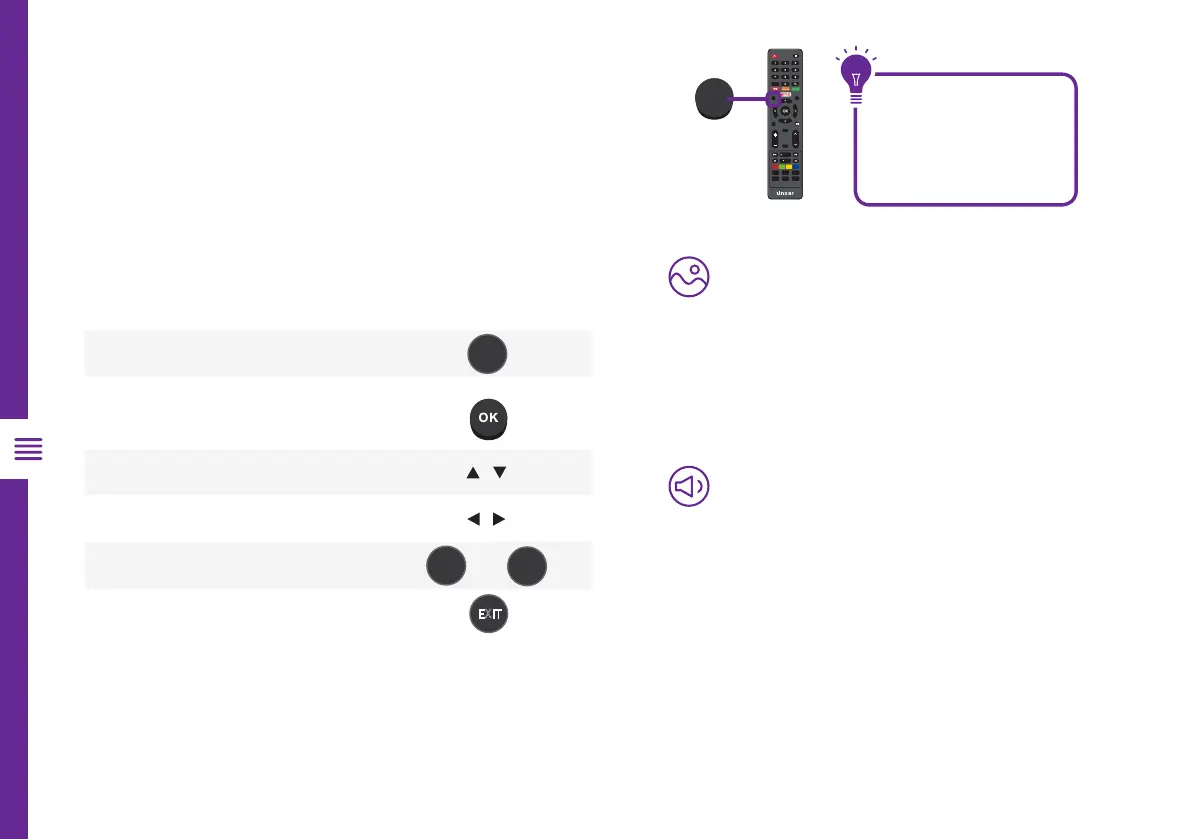
Menu Navigation Buttons
Function Remote Button
Display the main menu
Enter a sub menu
Select an option /
Adjust a value
/
Return to the previous menu
OR
Exit a menu
Press the MENU button and select TV Settings. See
the guide below for all the other buttons you'll need
to use to adjust and change your settings.
1 2
3
4
5
7 8
0
6
9
MENU
OK
EXIT
SOURCE
INFO
RETURN
VOLC H
/ TIMESHIFT
/ FAV
GUIDE
/RECORD INDEX
P.MODE
SUBTITLE S.MODE
PIC SIZE
CH.LIST
MENU
MENU
RETURN
EXIT
MENU


 To Next Page