OPERATION
WARNING
FAILURE TO ACT IN ACCORDANCE WITH THE FOLLOWING MAY
RESULT IN SERIOUS PERSONAL INJURY OR DEATH.
ALWAYS MAKE SURE THAT THE SLIDEOUT ROOM PATH IS CLEAR OF
PEOPLE AND OBJECTS BEFORE AND DURING OPERATION OF THE
SLIDEOUT ROOM.
ALWAYS KEEP AWAY FROM THE SLIDE RAILS WHEN THE ROOM IS BEING
OPERATED. THE GEAR ASSEMBLY MAY PINCH OR CATCH ON LOOSE
CLOTHING CAUSING PERSONAL INJURY.
INSTALL TRANSIT BARS (IF SO EQUIPPED) ON THE SLIDEOUT ROOM
DURING STORAGE AND TRANSPORTATION.
EXTENDING SLIDEOUT ROOM
1. Level the unit.
2. Verify the battery is fully charged and hooked-up to the electrical system.
3. Remove the transit bars (if so equipped).
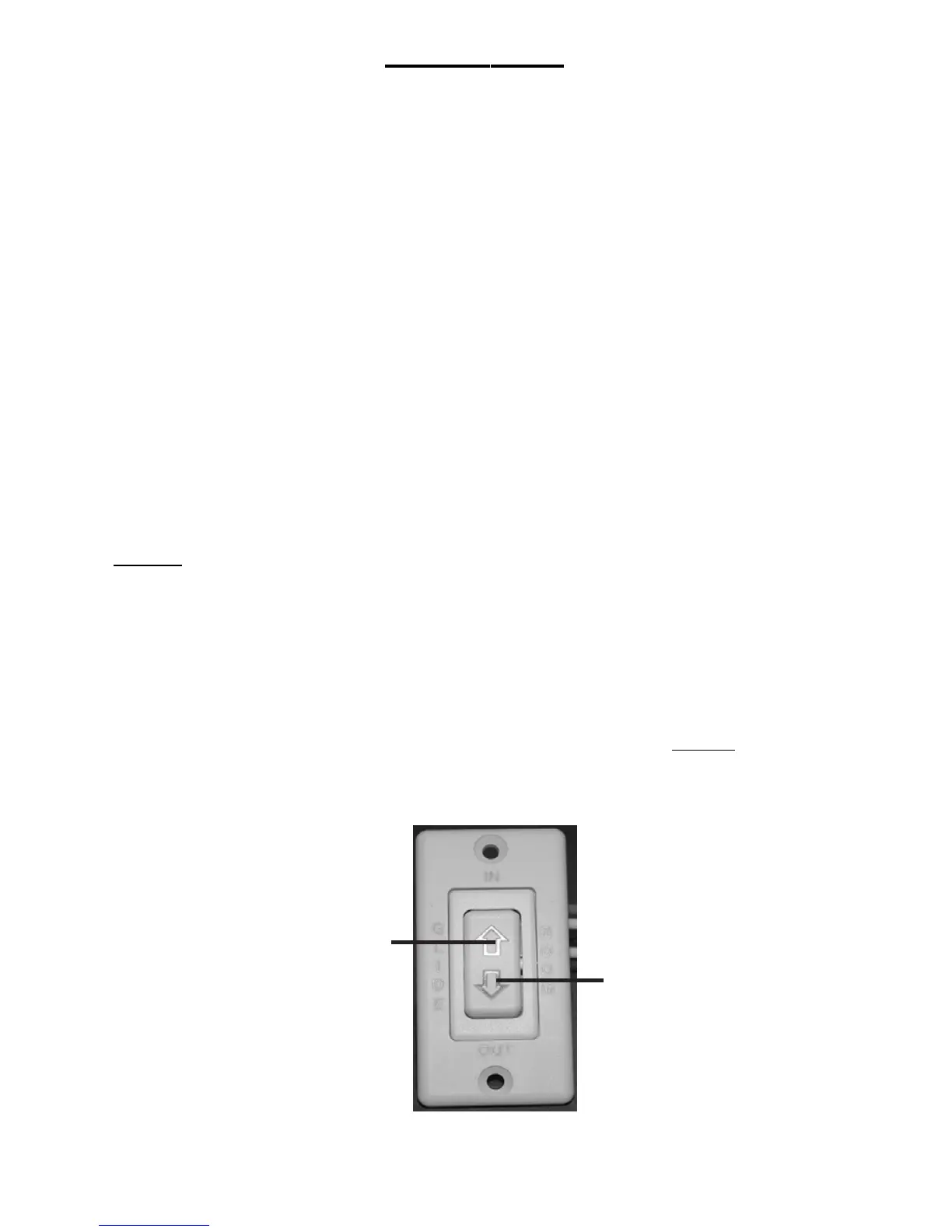
4. Press and hold the IN/OUT switch (Fig. 1B) in the OUT position until the
room is fully extended and stops moving.
5. Release the switch, which will lock the room into position.
NOTE: If the slideout switch is held after the room in fully extended, the control
will sense that the room has stopped and will shut off the motor after a few
seconds.
RETRACTING SLIDEOUT ROOM
1. Verify the battery is fully charged and hooked-up to the electrical system.
2. Press and hold the IN/OUT switch (Fig. 1C) in the IN position until the room
is fully retracted and stops moving.
3. Release the switch, which will lock the room into position. NOTE: If the
slideout switch is held after the room in fully retracted, the control will sense
that the room has stopped and will shut off the motor after a few seconds.
4. Install the transit bars (if so equipped).
5
Fig.1
C
B


 To Next Page
 Loading...