Rev: 03.30.23 Page 5 CCD-0007179
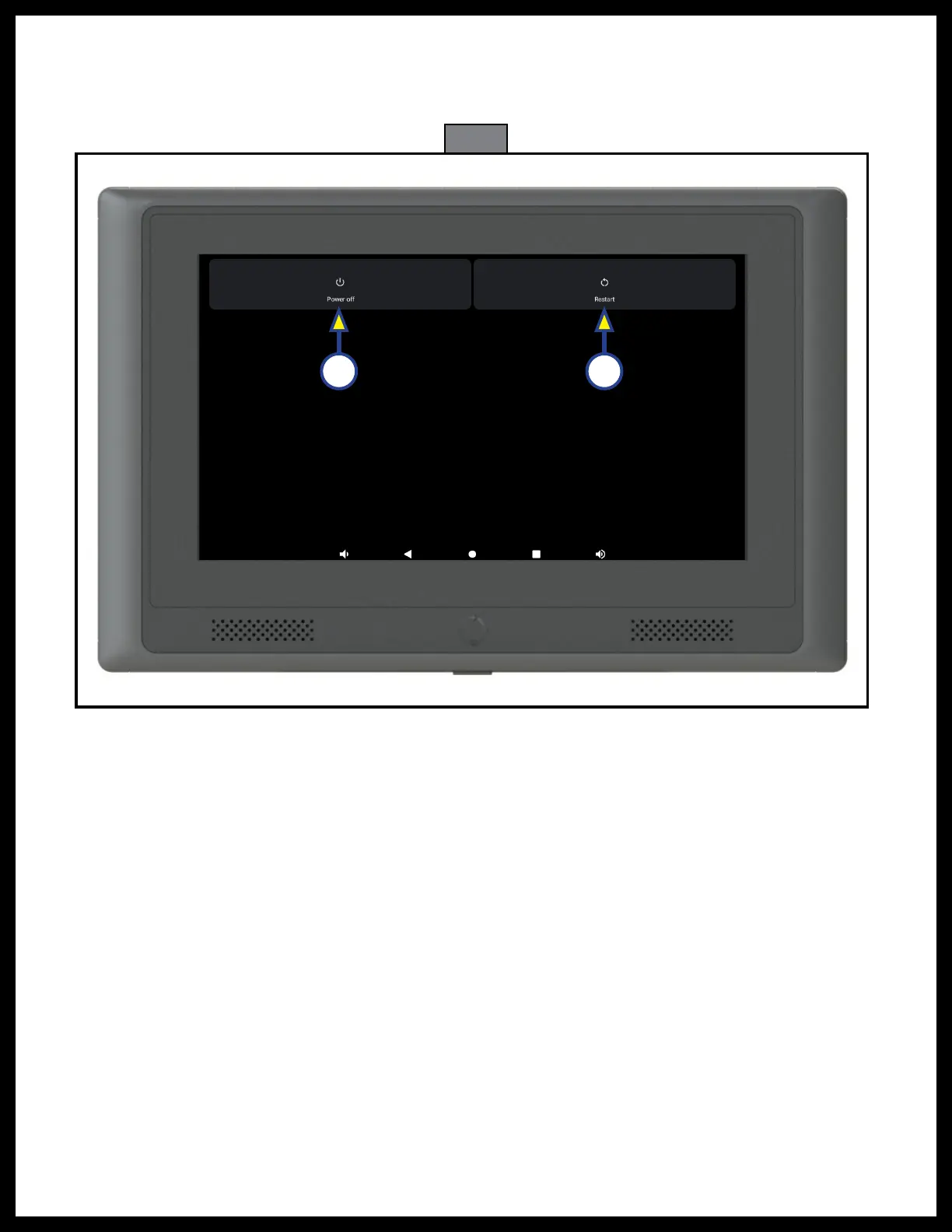
Fig. 2
A B
3. After a few seconds, a screen will be shown (Fig. 2) with a choice for Power Off (Fig. 2A) or Restart (Fig. 2B).
A. Tap Power off to completely power down the OCTP. It will remain off until the power button (Fig. 1A)
is used to turn it back on.
B. Tap Restart, and the OCTP will power down and then restart.



 To Next Page