Need help?
Do you have a question about the Lippert Components OCTP and is the answer not in the manual?
Overview of the OneControl Touch Panel and its capabilities for RV systems.
Instructions for powering the OneControl panel on/off and navigating the control interface.
How to extend and retract the RV awning using the OneControl panel.
Instructions for raising and lowering RV bed lifts via the OneControl system.
Procedures for locking and unlocking RV doors using the OneControl interface.
How to turn individual RV fans on or off using the OneControl panel.
Steps to start the generator and access its settings via the OneControl system.
Guide to controlling RV heating, cooling, and fan speed for different zones.
Instructions for extending and retracting RV landing gear using the OneControl panel.
How to level the RV unit using the auto-level function on the OneControl panel.
Procedures for turning RV lights on/off and adjusting colored lighting settings.
How to check RV tank levels and activate components using the Tank Monitor screen.
Instructions for extending and retracting RV slide-outs using the OneControl panel.
How to extend and retract RV stabilizers using the OneControl panel.
Instructions for raising and lowering RV TV lifts using the OneControl panel.
How to open and close RV vent covers using the OneControl panel.
Accessing guides, videos, manuals, FAQs, and apps through the MyRV panel.
Accessing guides for basic operations, awnings, and interior controls.
Locating troubleshooting videos, manuals, and FAQs for issue resolution.
Utilizing the search feature to find documentation, videos, and images on the tablet.
Managing tablet settings like Media Sync and Date & Time configurations.
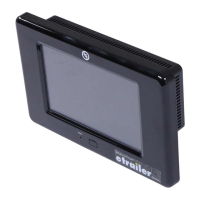
Identification of the screen, power button, and touch panel on the front of the unit.
Identification of the Canbus Power Connector on the rear of the unit.
Details on the 7" tablet, wall mount docking station, and digital switch components.
Information on the mounting bracket for the OneControl touch panel.
Specifications for Original and V2 Tank Monitor control units.
Components like Wi-Fi Hub, Range Extender, Wi-Fi Gateway Hub, and Smart Switch.
Details on Function Receivers and Lighting Control Modules.
Description of the Multi-Output LED Lighting Control Module.
Various Canbus Data Harnesses, Power Connector, and Terminating Resistor.
Information on different versions of HVAC Controllers (Original, Single, Dual, Triple Zone).
Details on the Generator Genie Controller for managing the generator.
Descriptions of Slide Controllers and various Leveling Controllers.
 General
| Brand | Lippert Components |
|---|---|
| Model | OCTP |
| Category | Touch Panel |
| Language | English |

 To Next Page