
 Need help?
Do you have a question about the Lippert Components OneControl Unity Board M Series and is the answer not in the manual?
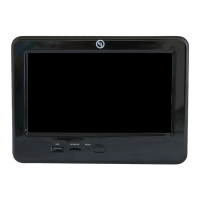
Describes the OneControl Touch Panel and Unity Board as an electronic control system for RV functions.
Emphasizes reading all instructions and safety labels before operating the system.
Explains the 'WARNING' symbol indicates a safety risk that could cause death or injury.
Explains the 'CAUTION' symbol indicates a risk of pinching, crushing, or cutting from moving parts.
Describes how the OneControl Touch Panel launches on coach startup and basic navigation.
Instructions for extending and retracting the RV awning using the OneControl system.
Instructions for raising and lowering the RV bed lifts using the OneControl system.
How to turn RV fans on and off using the OneControl system.
Instructions for accessing generator settings and starting/stopping the generator.
Explains selecting HVAC modes (Heat/Cool, Heat, Cool, Off) and fan speeds (High, Low, Auto).
Information on choosing between Gas or Heat Pump for heating when applicable.
How to adjust temperature set points for HVAC zones using touch controls.
Instructions for setting both low and high temperature points in Heat/Cool mode.
How to control individual and all RV lights via the OneControl system.
Viewing tank levels and controlling components like water pump and tank heaters.
Instructions for extending and retracting RV slide-outs using the OneControl system.
Instructions for extending and retracting RV stabilizers using the OneControl system.
Steps for installing the LCI OneControl app and connecting a smart device via Bluetooth.
Instructions for creating a PIN to prevent unauthorized access to the coach systems.
Explains how the Unity Board locks functions when motion is detected during transit.
Addresses common problems like missing icons, non-responsive functions, and power issues.
Explains why the heat pump may not operate and provides solutions for temperature conditions.
 General
| Brand | Lippert Components |
|---|---|
| Model | OneControl Unity Board M Series |
| Category | Remote Control |
| Language | English |

 To Next Page