Rev: 03.06.19 Page 3
CCD-0001540
Operation
The OneControl Touch Panel will be launched upon startup of the coach. The home screen will appear on
startup (Fig. 1) with icons representing systems controlled by the Unity Board.
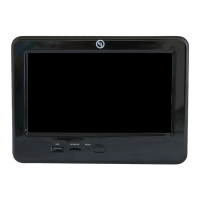
The device can be powered on or off using the power button (Fig. 1A) on the front of the touch panel.
NOTE: Stabilizers are optional equipment on some models/floor plans. The Stabilizers icon will only
populate if that feature is available.
To operate a system, press the icon representing that system. After accessing and adjusting a system via a
touchscreen icon, push the Home icon in the center of the bottom row of the touchscreen to return to the
OneControl home screen.
Fig. 2
Fig. 1
A
Awning
1. Press the Awning icon.
2. Press the EXTEND (+) button (Fig. 2A)
to extend the awning and press the
RETRACT (-) button (Fig. 2B) to retract the
awning.
Bed Lifts
1. Press the Bed Lifts icon to access the Bed
Lift screen.
2. Press RAISE (Fig. 3A) to raise the bed and
press LOWER (Fig. 3B) to lower the bed.
Fig. 3
A
B
A
B


 To Next Page