30
l
10
Set Auto-Timeout Feature
10A
If 30 minutes passes without audio to transmitter, the unit will stop sending a signal
to the radiators
10B
To disable or enable Auto-Timeout Feature
Your transmitter is shipped to you with the Auto-Timeout Feature enabled
Your transmitter is shipped to you with the Auto-Timeout Feature enabled.
1
To disable the Auto-Timeout Feature
To disable the Auto-Timeout Feature press and hold the “down” button while
turning the unit on.
2
When the L/O icon is illuminated on the LCD and a period of 30 minutes passes without audio being input to
the transmitter, the unit will stop sending a signal to the radiators. This is done to help conserve LED life on
the radiators.
To enable the Auto-Timeout Feature
To enable the Auto-Timeout Feature press and hold the “up” button while
turning the unit on.
3
9
Set Stereo and Process Features
Stereo Mode
If the green LED is displayed on the front panel, that feature is enabled. Once you have
enabled or disabled the features as desired, let the transmitter exit the program mode by
waiting ve seconds.
9A
A stereo signal can be transmitted to the receivers. Input 2 must be used if a stereo signal is
desired and the stereo mode must be enabled on the transmitter.
Stereo and Process Mode Descriptions
9B
To Disable or Enable Stereo and Process Features
1
Process Mode
Process mode is used for Audio Gain Control (AGC). With the process mode enabled, the
LT-82 will automatically adjust for inconsistent signal input levels by raising or lowering the
signal level accordingly to provide a consistent sound output level. This feature should be
used in applications where a consistent sound level is important and the input levels vary
substantially. Typically you would not want to engage the Process Mode when a speaker’s
emphasis is critical to the message they are conveying.
2
Transmitter is shipped to you with Stereo and Process disabled
Your transmitter is shipped to you with Stereo and Process disabled.
1
With the unit on press and hold the channel select “Down” button
With the unit on, press and hold the channel select “Down” button for eight
seconds. The program (PGM) icon will appear on the LCD. Once in the program
mode, the Stereo and Process features can be turned on and o by pressing the
channel select buttons. Press the channel select “Up” button to toggle
between Process On and O. Press the channel select “Down” button to toggle
between Stereo On and O.
2
ATTENTION: If the transmitter is in stereo mode the receivers will need to be
put into stereo mode. Refer to the appropriate receiver manual
for more information.
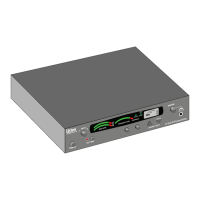
LT-82 Setup and Operating Instructions


 To Next Page