l
29
8
Connect Audio Inputs
The LT-82 has two audio input options: Input 1 and Input 2. Input 1 is a balanced connection using
either an XLR or 1/4” phono connector. Input 2 has two unbalanced mixing phono connectors. Use
Input 1 if you are using a microphone or if you have a balanced connection such as from a professional
audio mixer (you can also use Input 1 for unbalanced connections). Use Input 2 to connect to an
unbalanced audio source.
8A
Connect the audio source(s) to one or both audio input connections. Input 1 oers a choice of balanced
XLR or 1/4” phono connector. Plug your microphone into Input 1 and move the input select switch to
Mic (for dynamic microphones) or Mic + PH Power (for condenser microphones). Plug your balanced or
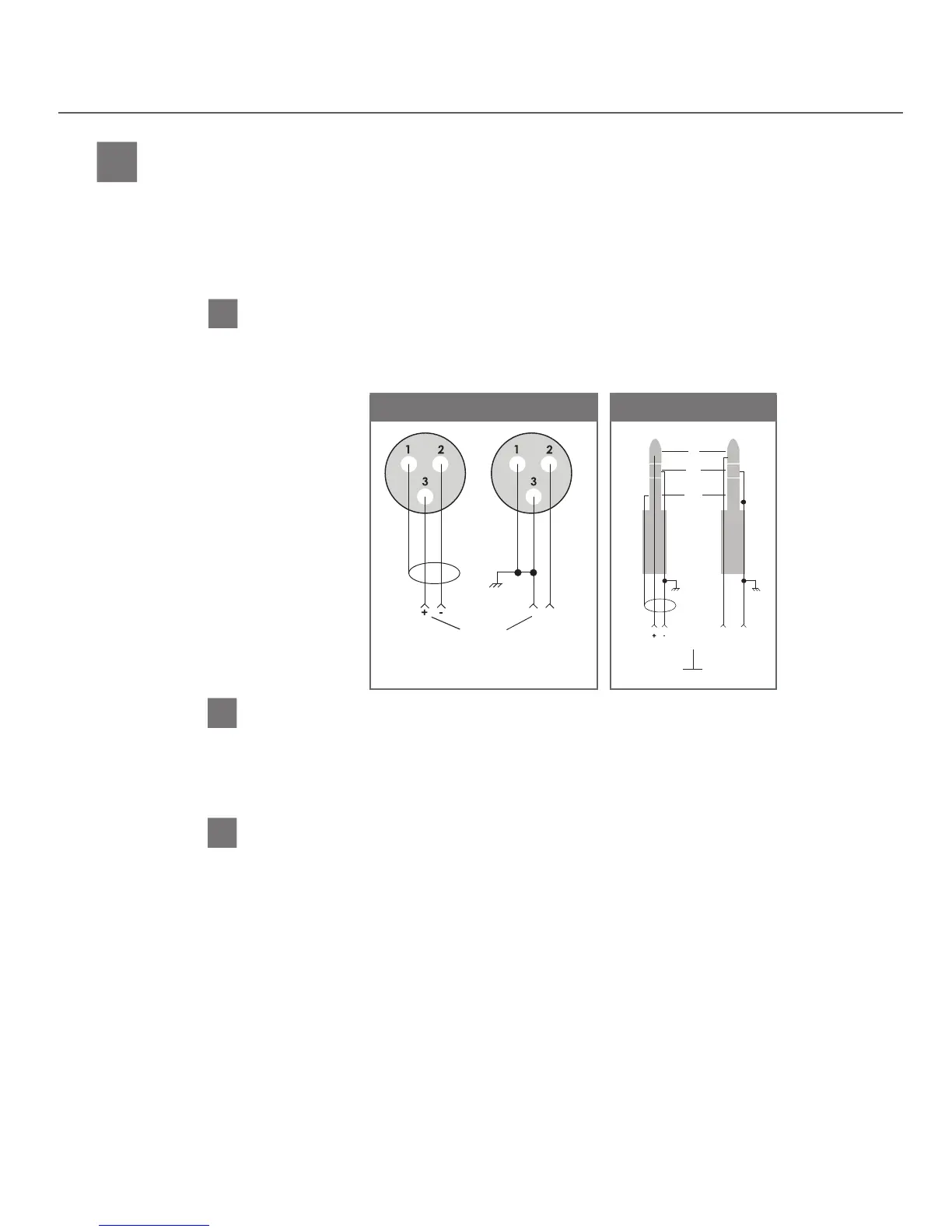
unbalanced audio source into Input 1. Use the following diagram.
8B
Plug your unbalanced audio source into Input 2 and select the audio level switch for -10dBu or +10dBu,
to match the audio level coming from your equipment.
If using Input 2
ATTENTION: When using Input 1 and Input 2 simultaneously, the audio signals will mix together.
Input 1 will mix with both left and right signals of Input 2.
8C
To broadcast a test tone, press the test tone button. This helps to test
receivers when no audio source is available.
Test Tone (if necessary)
If using Input 1
XLR Wiring
Input from
Balanced
Audio
Source
Unbalanced
Audio
Source
1/4”Phone Wiring
Tip
Ring
Sleeve
Top Ring Top Ring/Sleeve
Audio from
Balanced
Audio
Source
Unbalanced
Audio
Source
Sleeve
LT-82 Setup and Operating Instructions


 To Next Page