NA120 Motherboard
11
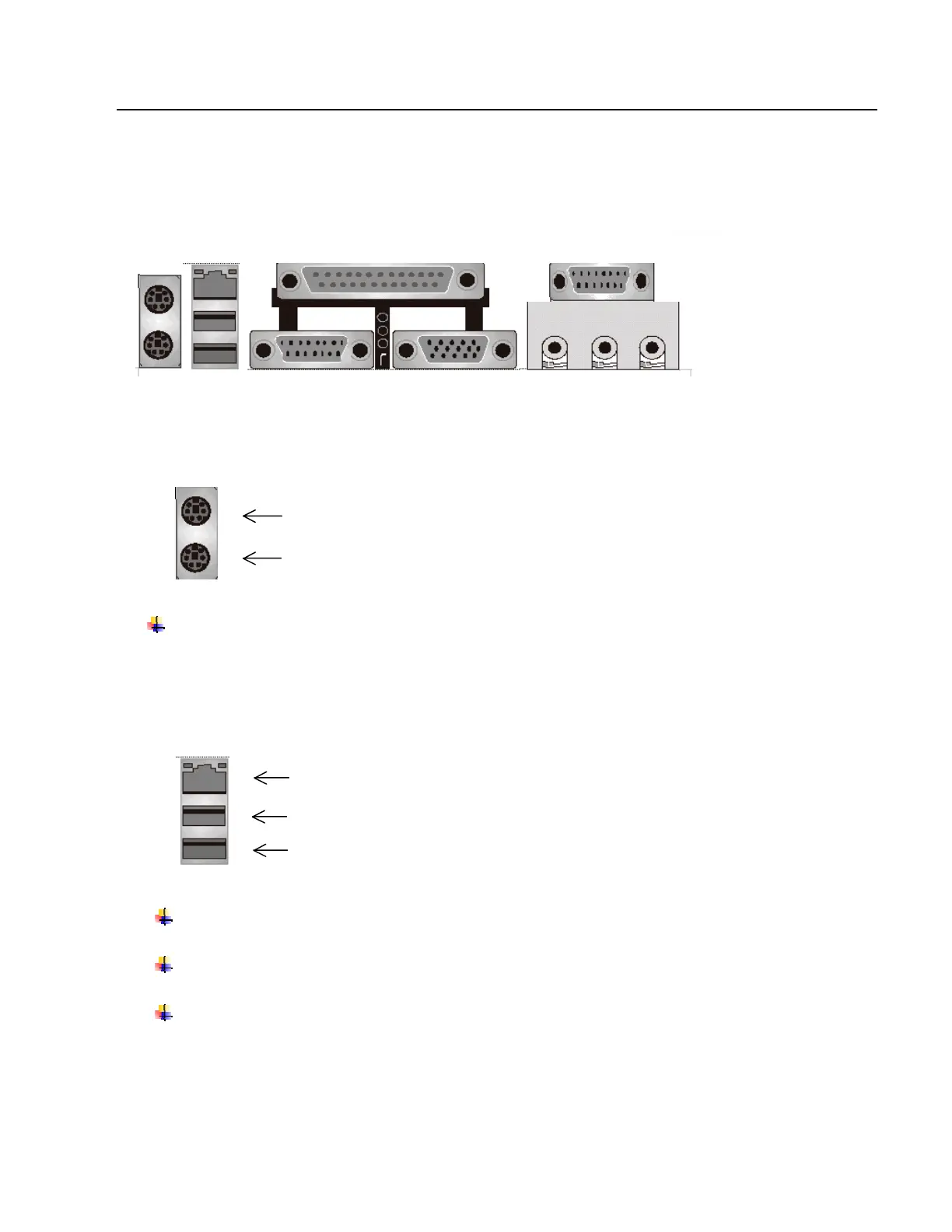
I/O Back Panel Introduction
(1) PS/2 Keyboard and PS/2 Mouse Connector
This connector supports standard PS/2 keyboard and PS/2 mouse.
(2) USB and LAN Connector
Before connecting device(s) into the USB connections, determine if devices have a standard
interface.
Make sure your computer Operating System (OS) supports the USB controller. If not, contact your
OS or device(s) vendors for more information.
On Board LAN function (optional)
1
4
PS/2 Mouse Connector (6 pin Female)
PS/2 Keyboard Connector (6 pin Female)
5
2
USB 1
USB 2
LAN (Optional)



 To Next Page