Finalize (Make Compatible)
For DVD+R. DVD-R and DVD-RW(formatted in ‘Quick
Preparation’ mode), finalization is a necessary step if you
want the discs to be played back on other compatible
devices.
1. Refer to the table in this section to check if the disc you
use needs finalization.
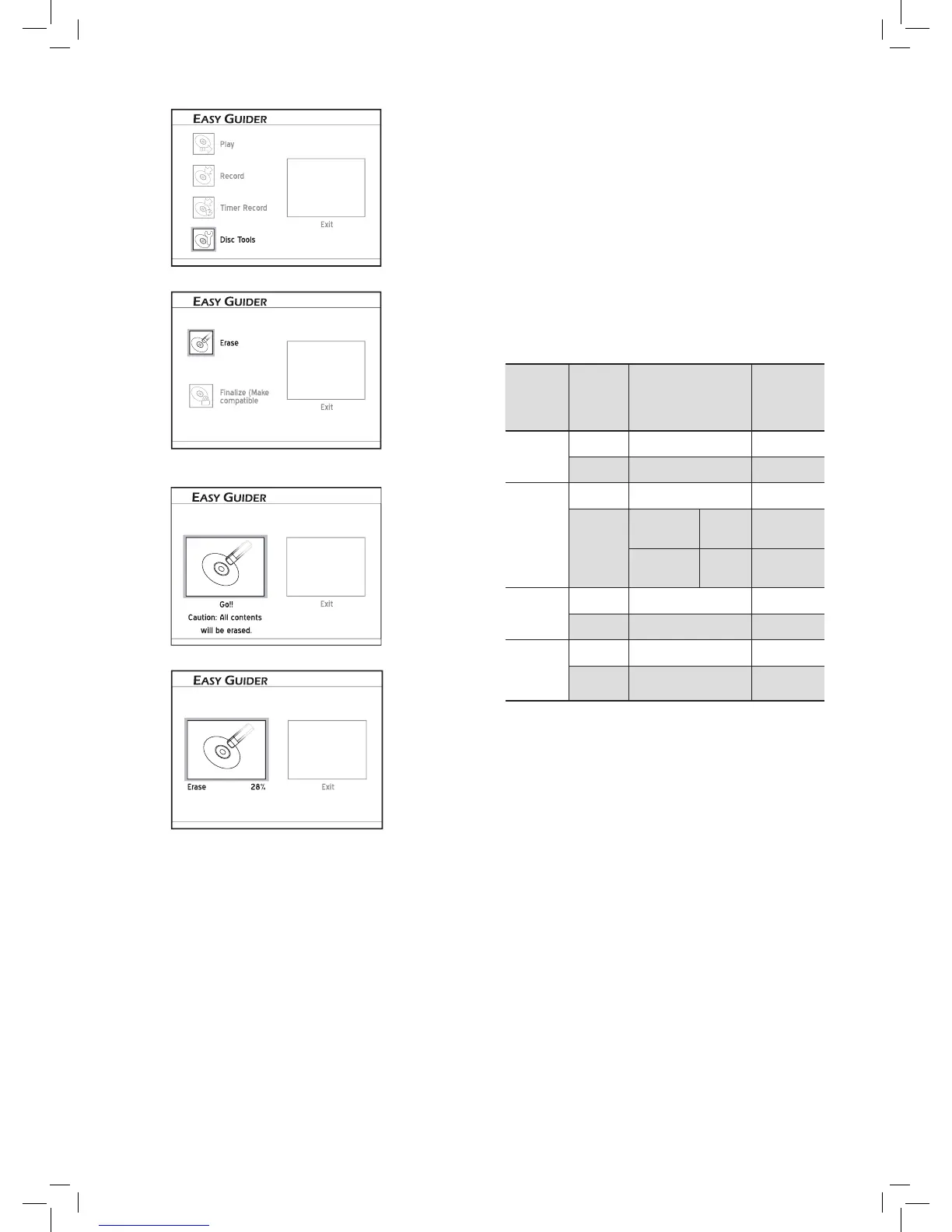
2. On the Easy Guider menu, press to select ‘Disc
Tools’, then press
ENTER.
3. Press to select ‘Finalize (Make Compatible)’.
4. Press to select ‘Go’, then press ENTER to start
finalizing.
5. The finalizing process will begin.
6. When completed, select ‘Exit’, then press ENTER.
Disc
Content
Type
Finalization
Recording
after
Finaliza-
tion
DVD-R
Data file
Not required -
DVD+VR Required No
DVD-RW
Data file
Not required -
DVD+VR
Full
Preparation
Not
Required
-
Quick
Preparation*
Required Yes
DVD+R
Data file
Not required -
DVD+VR Required No
DVD+RW
Data file
Not required -
DVD+VR Not required -
*‘Quick preparation’ is a technology of formatting
which saves much time compared to traditional ‘Full
Preparation’ method. It creates a temporary area on the
DVD-RW disc to mark the end of the recording data.
When you apply editing functions or add new record-
ings, this temporary area is erased so the data can be
written to the disc.
Only discs used to record video titles require finaliza-
tion. Discs containing other types of media files are
considered as data; there is no need to finalize these
discs.
The finalized disc may not be able to be played back
on certain devices (e.g. older model DVD player) due
to technical incompatibility.



 To Next Page